Customer Groups - Pricing Options
By default, the price (Customer Price) set in your product's "Overview" tab of a product. is the price that appears to your shoppers.
"Group Product Pricing" Features:
- Custom Price for any product
- Only Members of the Customer Group can see this price.
There are 3 places where different types of Pricing Rules can be setup:
- Customer Level (1st Position)
- Group Level (2nd Position)
- Site wide (3rd Position)
However, you may have a situation where you need to set a special price or "Custom Price" for a specific Group. For example, a Group may have been given a "Custom Price" in order to secure there business/order.
Another possible situation where you may need custom price displays is one when you need to adhere to MAP (Minimum Advertised Price) rules from your distributors/manufacturers.
To give a Group a "Custom Price" follow these steps:
- Go to Customers --> Customer Groups
- Search for the Customer Group you want and click "View"
- Click on the "3. Group Product Pricing" Tab.
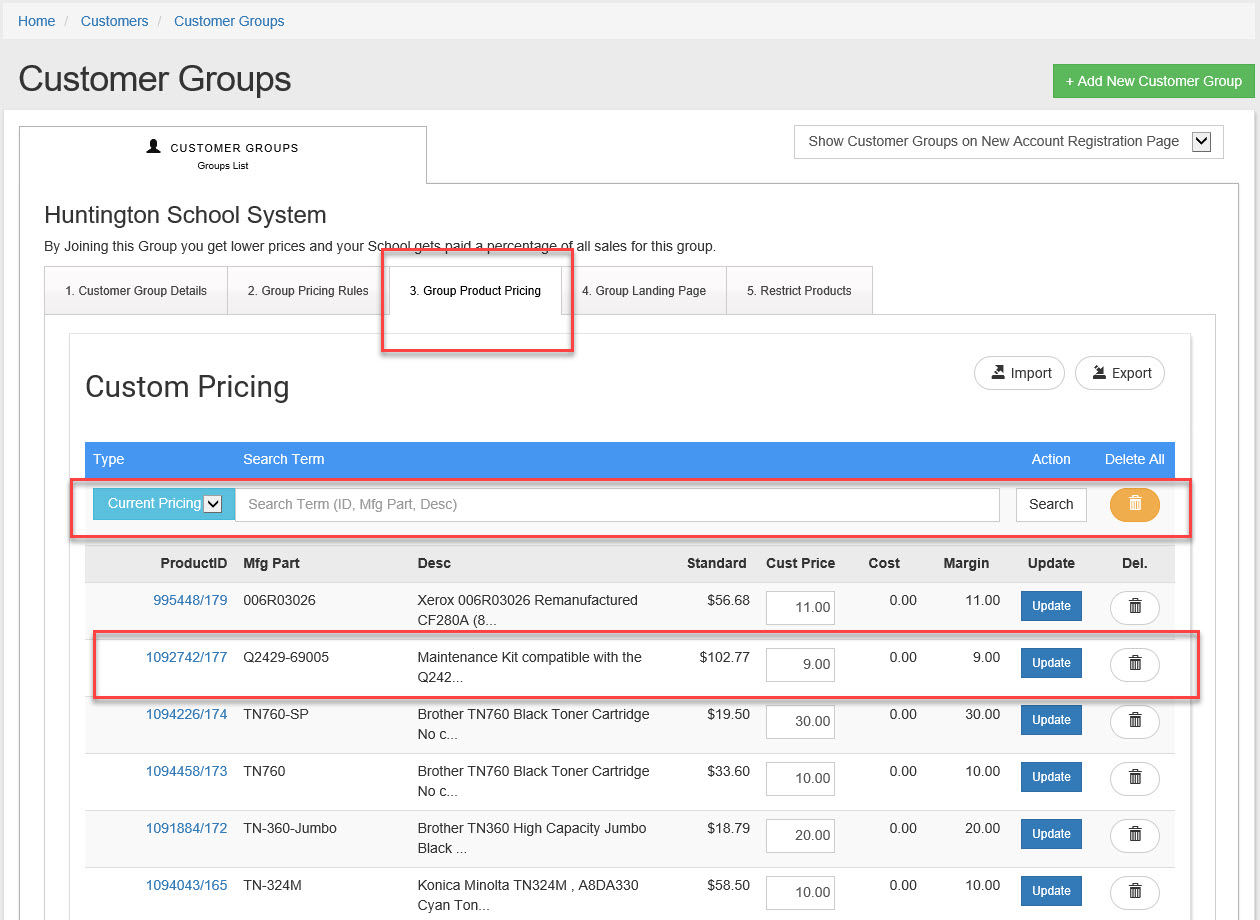
- To change a "Custom Price" simply update the new price and click "Update"
- To "Add" a new "Customer Group Price" change the "Current Pricing" option to "Add Pricing" in the drop down menu for the search bar.
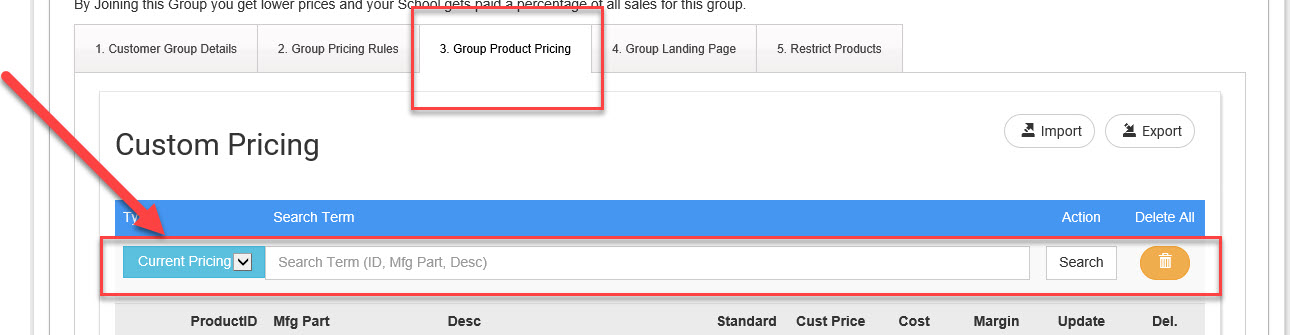
- Search for the product part number of product ID you want to add.
- Enter a "Price" and click "Add Product"
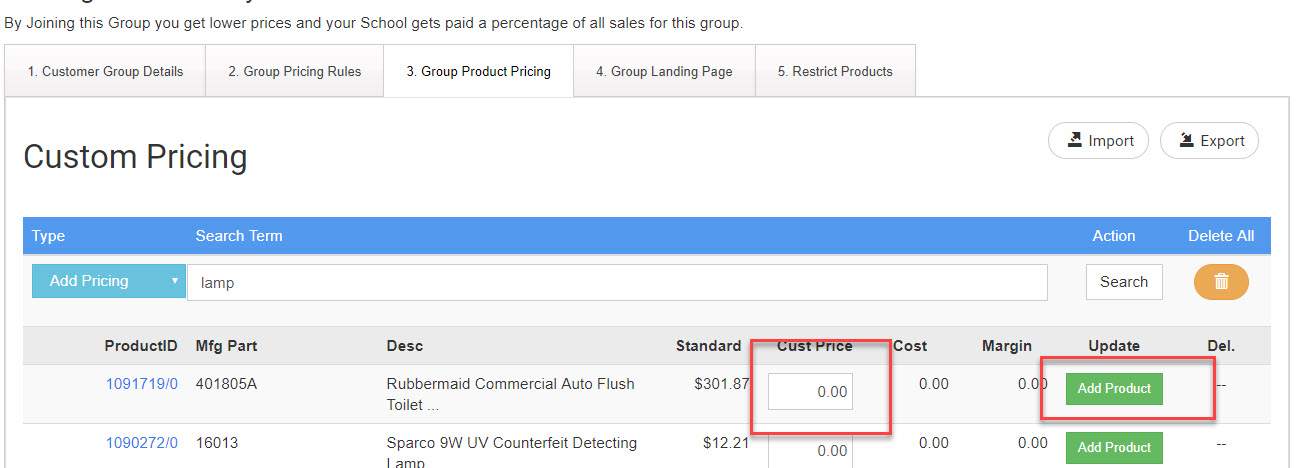
- This customer now has a special price for that product on your store.
- To see all current pricing for this Group change the drop down to "Current Pricing" and clear the search box and hit search with nothing in the search box. (It will not automatically refresh the page unless you click on search).