Force Secure Admin login
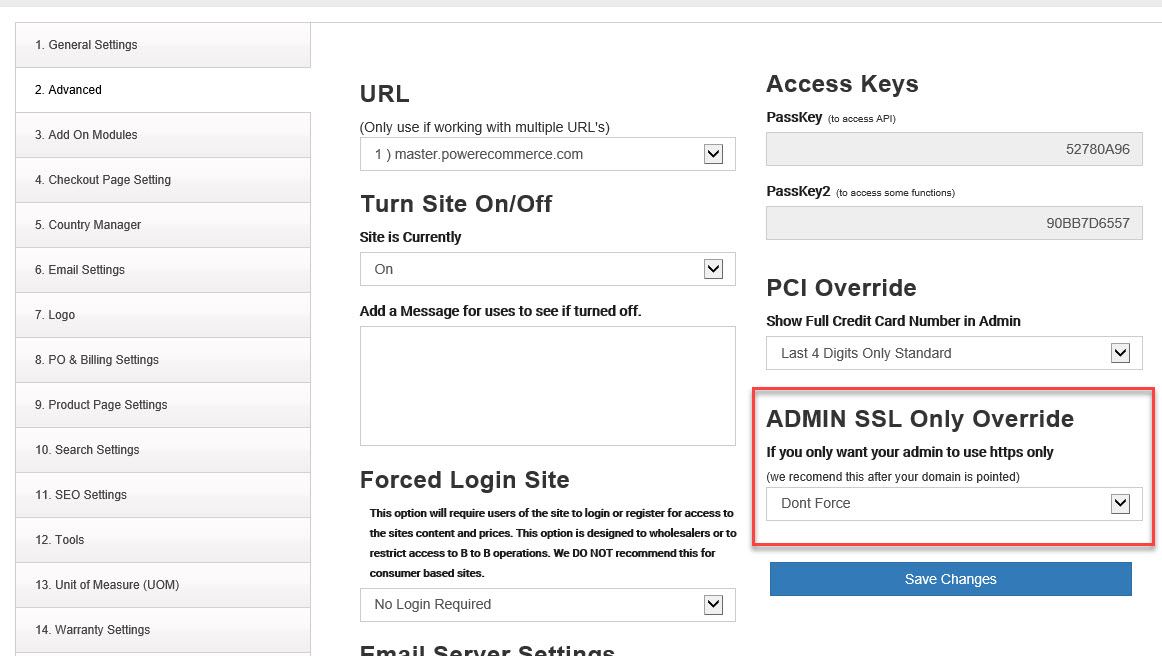
You can force the Admin for your store to always use HTTPS vs HTTP adding a level of security. Once your domain is pointed we DO recommend you forcing HTTPS for Admin use. We don't recommend you force HTTPS until your domain is pointed to our servers otherwise you will not have full use of some functions like your image managers.
To add Forced HTTPS follow these steps:
- Login to your admin
- Go to Settings > General Settings > Advanced
- Look for the setting "ADMIN SSL Only Override" change the setting to your needs.
- Click "Save Changes"