How do I update the Credit Card used to bill me for service?
To update the card and/or billing information which you use to pay for your Store/Service, please use the following steps:
- Log into your Admin / Store manager
- Look towards the top right of the page for your name.

- Now Click on your name and a dropdown menu will appear.
- Click on "My Profile" - You will now see your Profile pages.
- Next Click on the "Payment Details" tab.
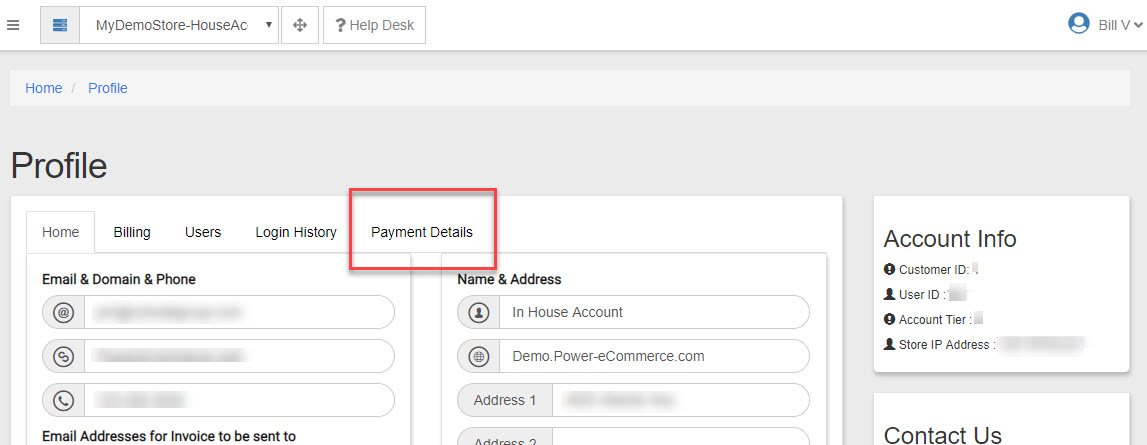
- Now you will see the payment details and can update your payment details here.
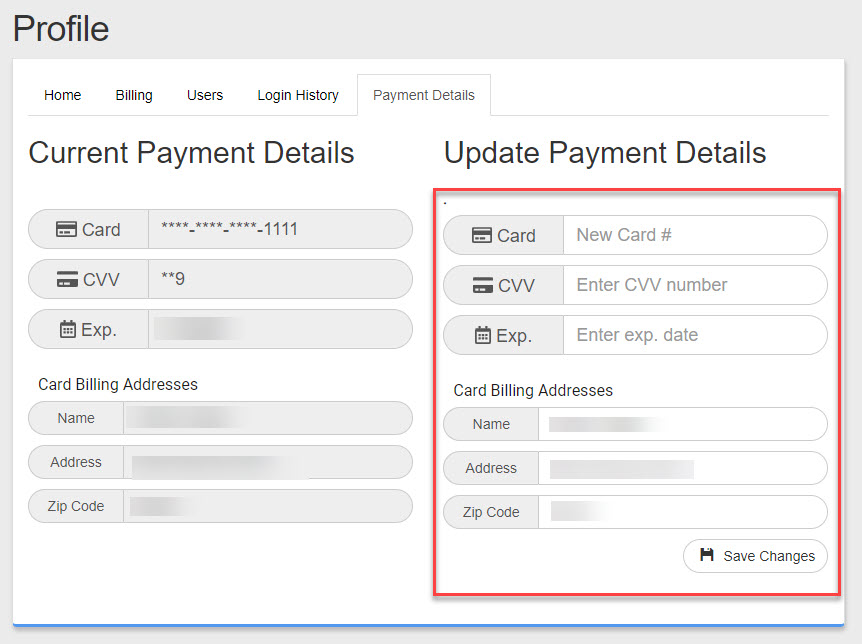
- Fill out the form as needed and click "Save Changes" to set your new billing details.