Adding Alternative Products
Alternative Products
When adding or editing products from your Power-eCommerce Admin, the fourth tab on the product creation pages will be labeled "Related." Under the Related Tab, you can customize your product listing to include links to other items in your store that are related to said product.
To add related items to your products:
- Go to Products -> Product List
- Select your product and proceed to its "Options" tab at the top.
- Click "Alternative Products" Tab on the left.
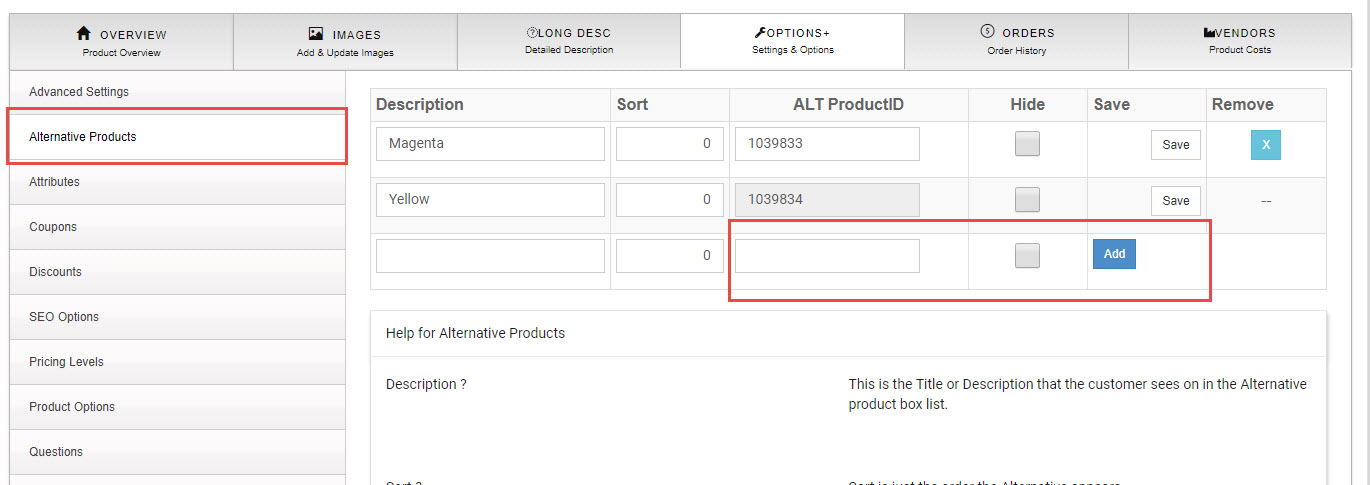
- In the ALT ProudctID (see image above) box enter the ID of the product you would like to be an Alternative product. You may also enter the Description of the product as well. It is best to keep the description very short (i.e. Blue, Green, Yellow... 500MB, 1TB, 2TB and so on) remember this is the same product with a different color , capacity or like Attribute)
- Click "Add"
- Repeat for as many products as you would like to add.
Note:
You must know the product ID of the Product you wish to add as a "Related Product". You can obtain this from the Product List and search for the product(s) you need to add as related.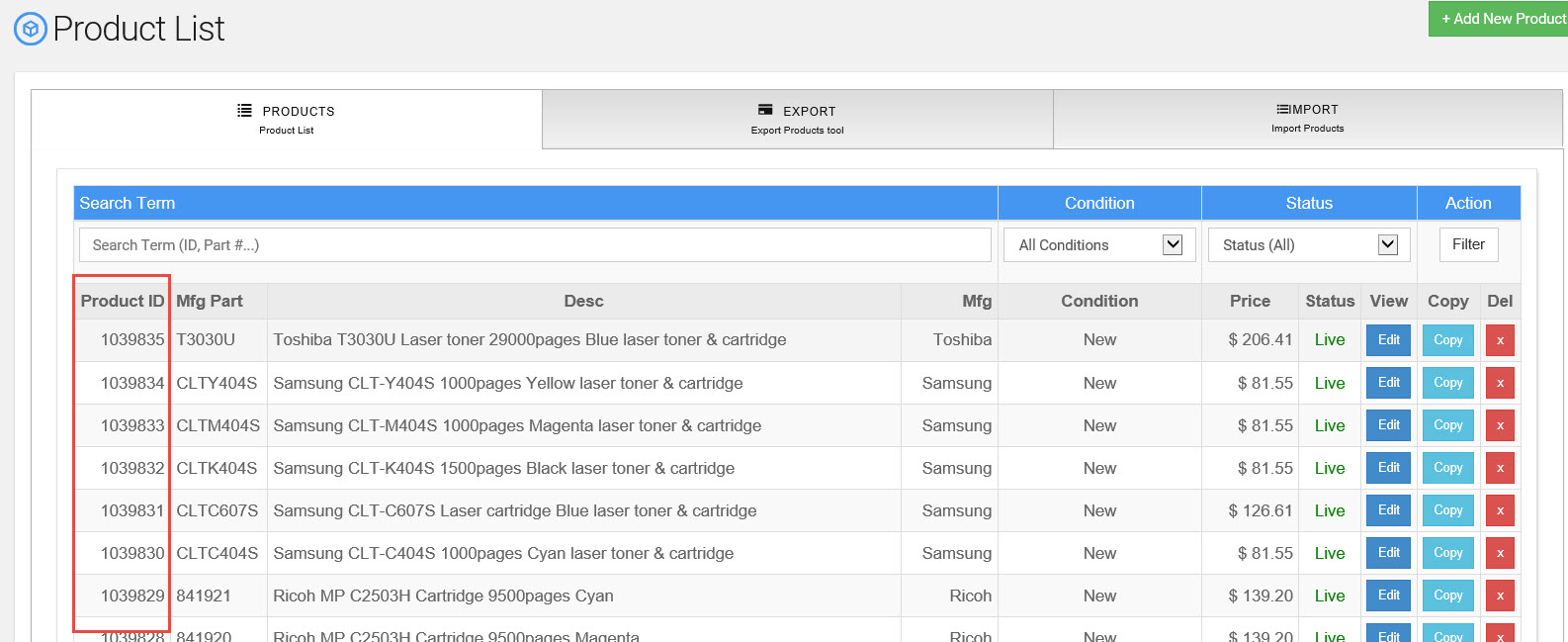
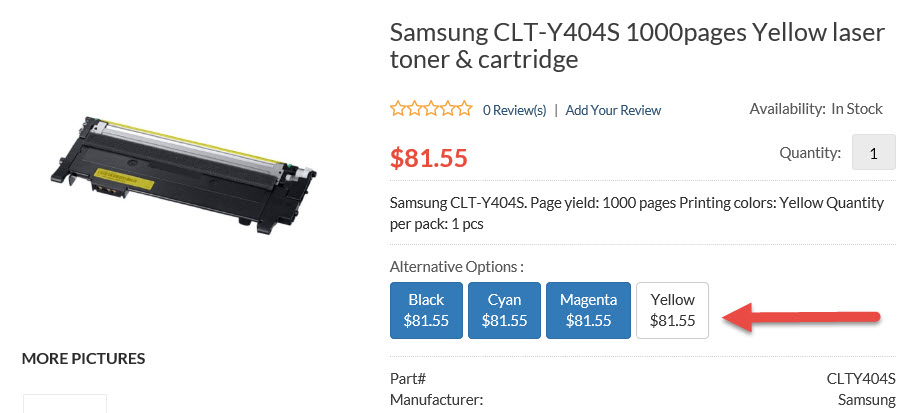
Sample Result of Alternative Products
Other useful tools are "Alternative Products" and "Product Options" see help desk for help with those options.