How Do I add the Subscription Service to my products?
You can add the Subscription Service to an individual product or you can set a Global subscription to all products.
To set the Subscription Service to a single product:
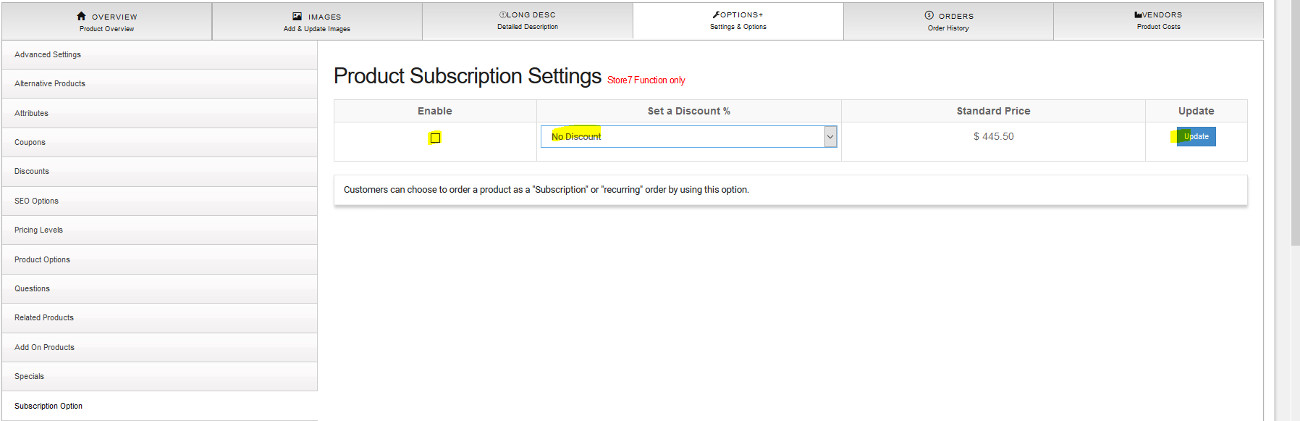
1. Search for the product in the Products List from the Main menu and Edit the item.
2. Click on the Options Tab.
3. On the Left Menu of the Options Tab click on the Subscription Option.
4. Check the box to Enable the option and select the Discount Percent you wish to apply. A discount does not have to be selected.
5. Click the "Update" button.
How to add the Subscription Service globally.
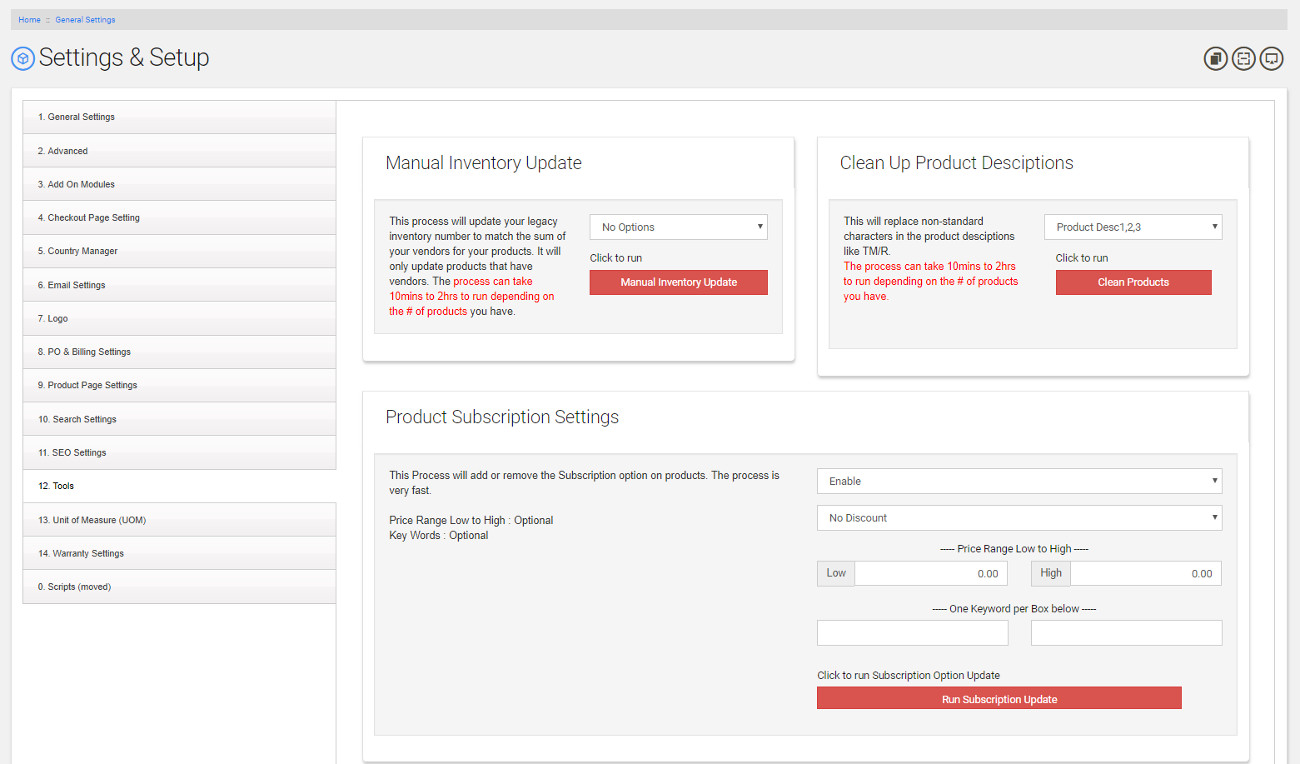
- Go to Settings - General Settings - Tools(12).
- Select the discount % for the Global setting in the drop down menu.
- Select the Price Range for items , this is not required if you are setting the Subscription for all items.
- Select a Keyword , if required to filter only certain items.
- Run the "Subscription Update".