S.P. Richards Price File Retrieval
S.P. Richards does not have an automated process to get your price file at this time. We expect they will add an automated option in the future. For now you will need to retrieve your price file manually from them and them upload that file to our FTP location (we will give you your ftp credentials when you setup the datafeed). This price file MUST be uploaded by the last day of the month we run your price update at 12:10am on the 1st of every month. S.P..Richards updates your costs for the next month sometime between 20th and the 26th ask your sales rep. when your costs are updated. Set a reminder to retrieve the file on that day.
Note:
To Add S.P.Richards as a integrated Datafeed supplier see Adding integrated Datafeed/Suppliers in the help desk.
How to Get your Price File from S.P.Richards
- Go to http://www.sprdealerservices.com/
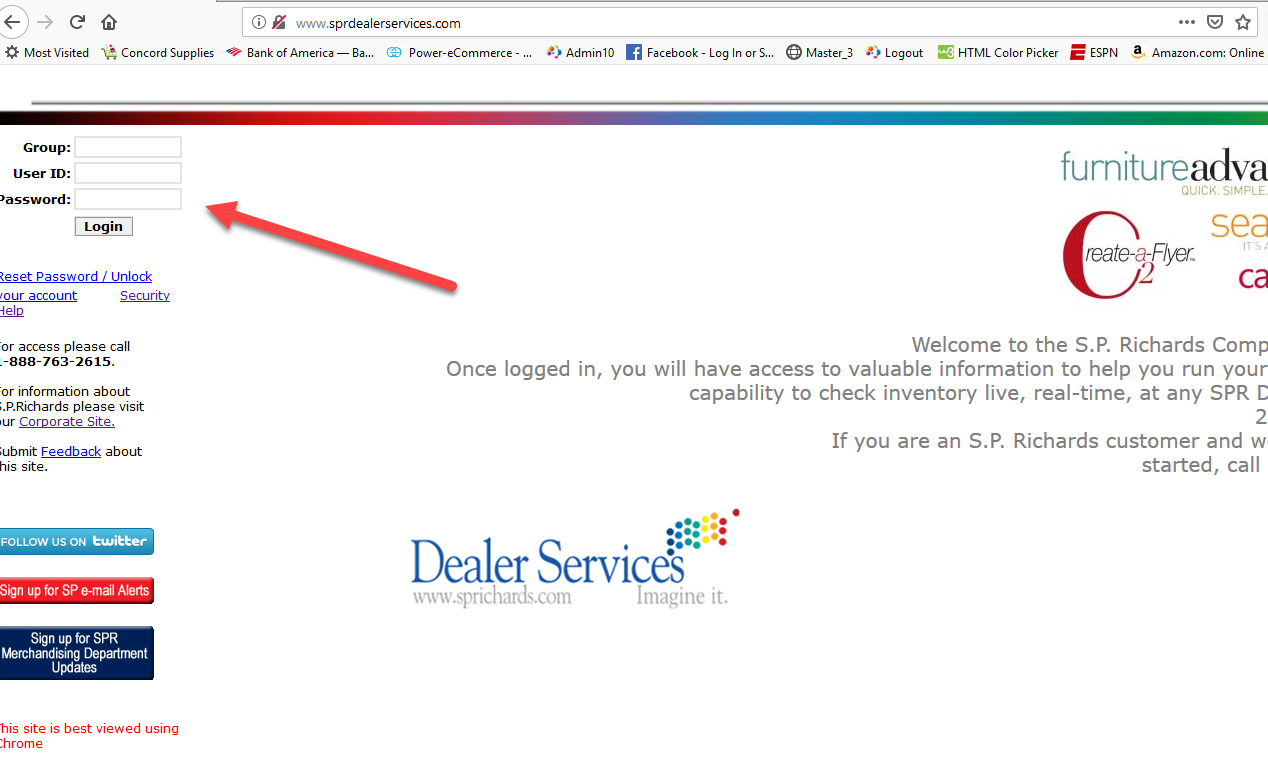
- Log into customers account. 3 credentials required.
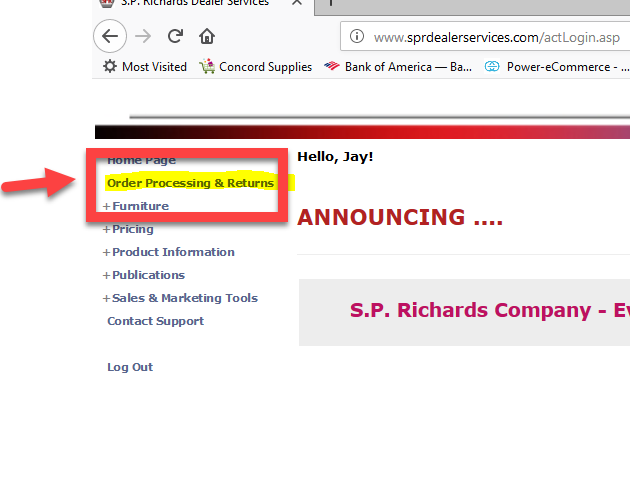
- Click on Order Processing & Returns.
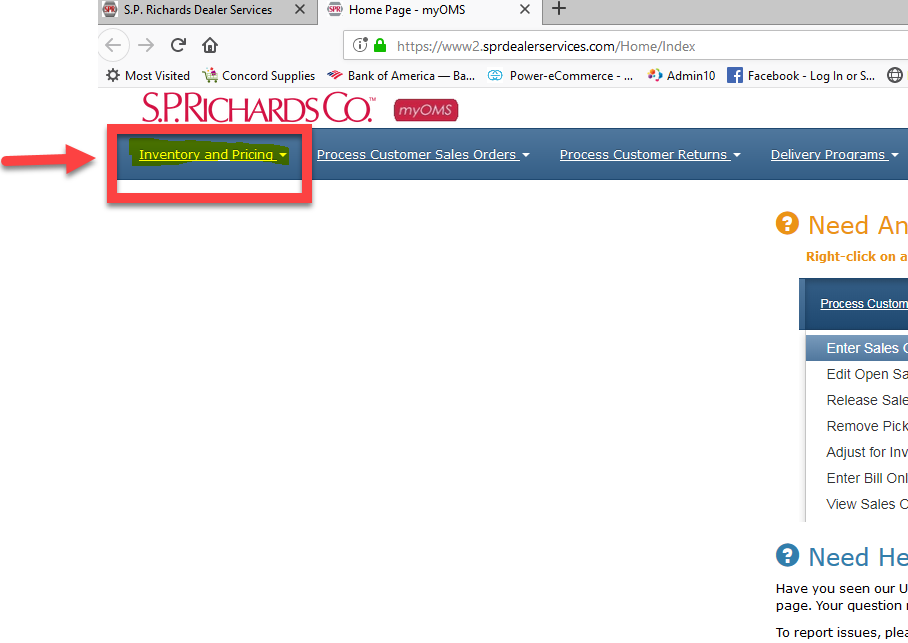
- Open Menu for Inventory and Pricing.
- Click on Download Price File. From Menu
- Click on Go
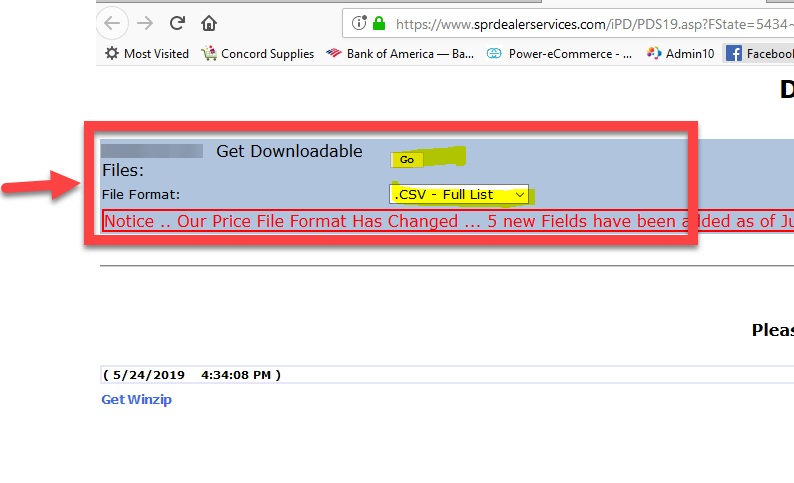
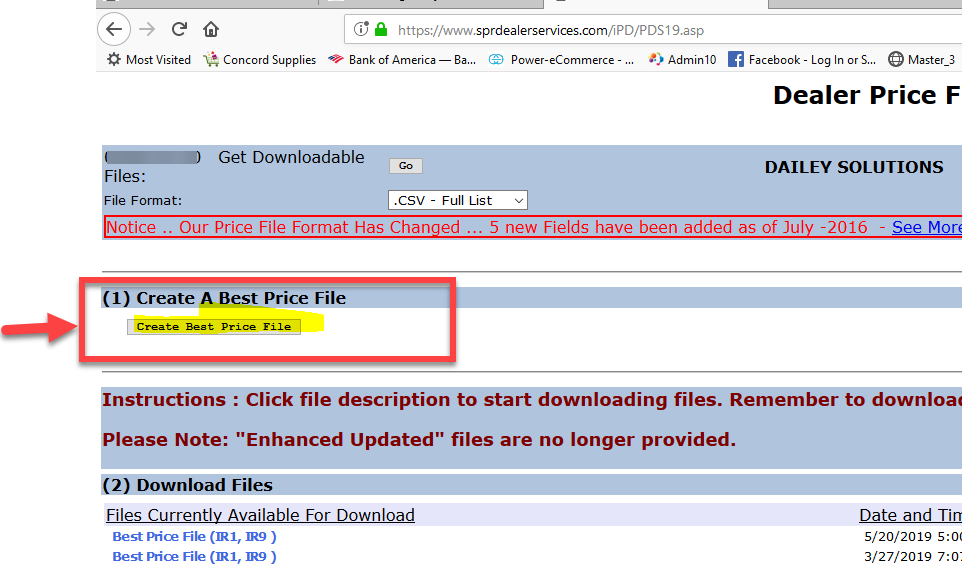
- Select the option to Create Best price file.
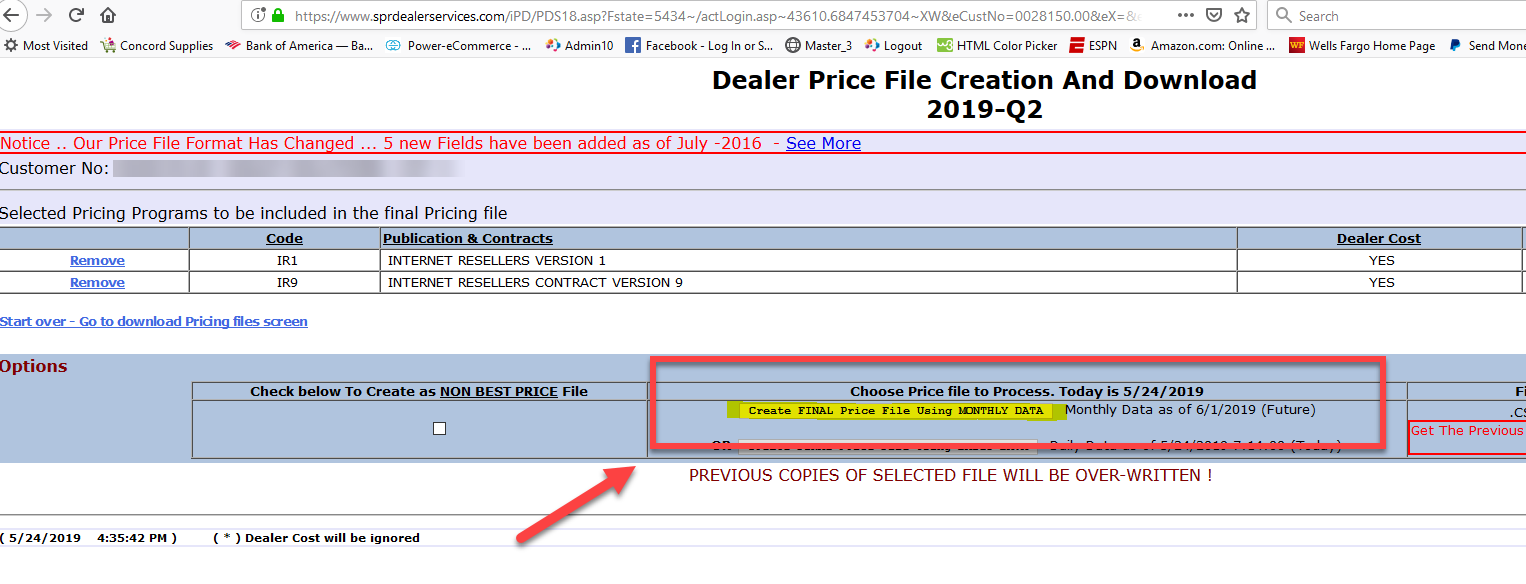
- Select the Option to create Monthly data.
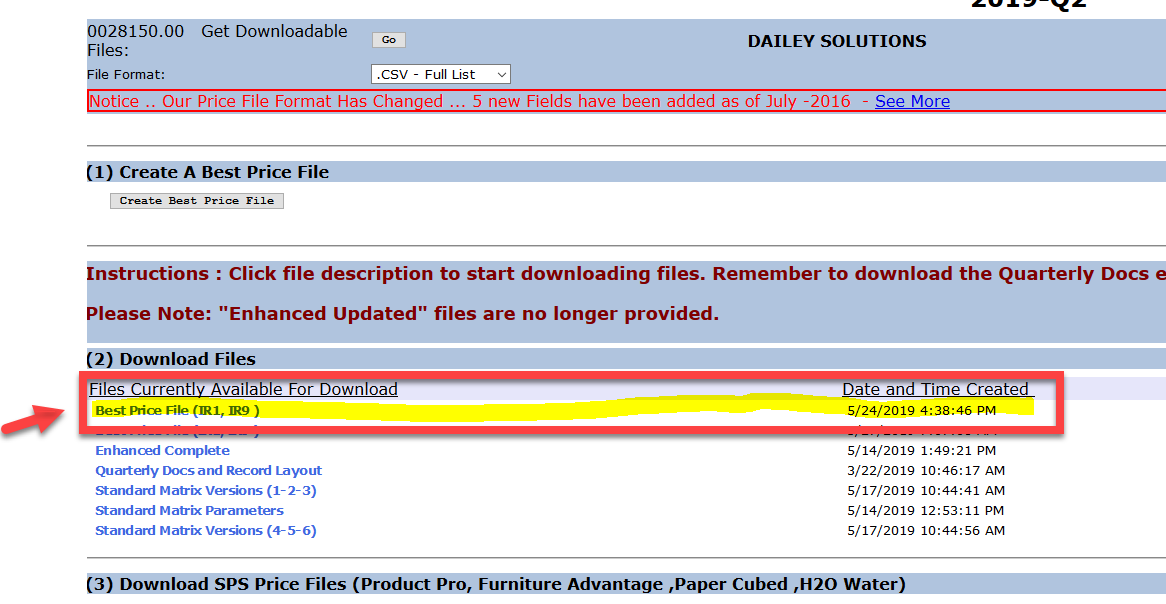
- When file is done generating it will update in the list of Download Files. Click on Best Price File.
- Save the Zip file.
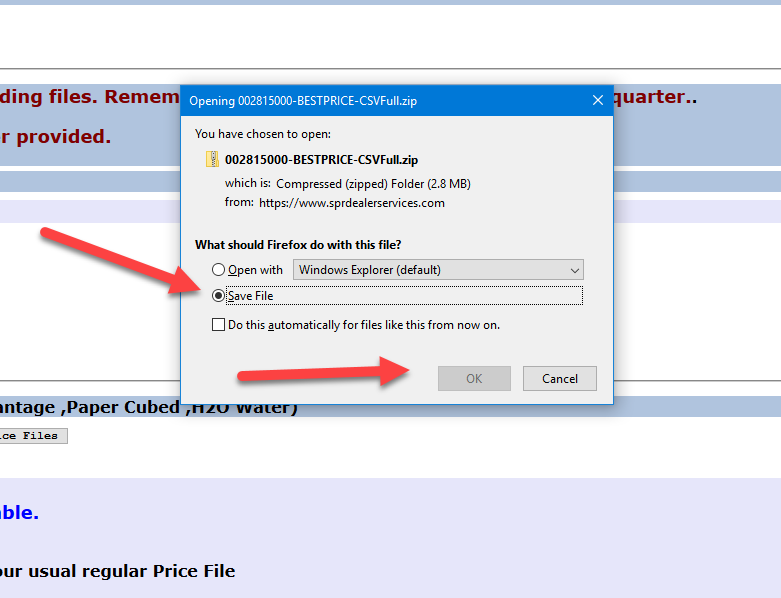
- Save the file in the same format as S.P.Richards gives it to you. xxxxxxxxxx-BESTPRICE-CSVFull.zip
- Upzip the file and save it in the same format xxxxxxxxxx-BESTPRICE-CSVFull.csv
- Next delete the last line of the file END OF FILE XXXXX if you forget to do this the price upload will fail.
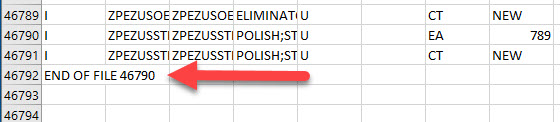
- Now upload the file to the FTP location provided to you when you setup S.P.Richards with us.
- Or Email the Zipped Cost file to [email protected]