Remove/Delete a Data feed Supplier
In order to remove a data feed supplier follow the steps below.
To remove/delete a data feed supplier follow these steps:
- Login to your stores Admin
- In the main left menu Navigate to Products --> Datafeed Manager
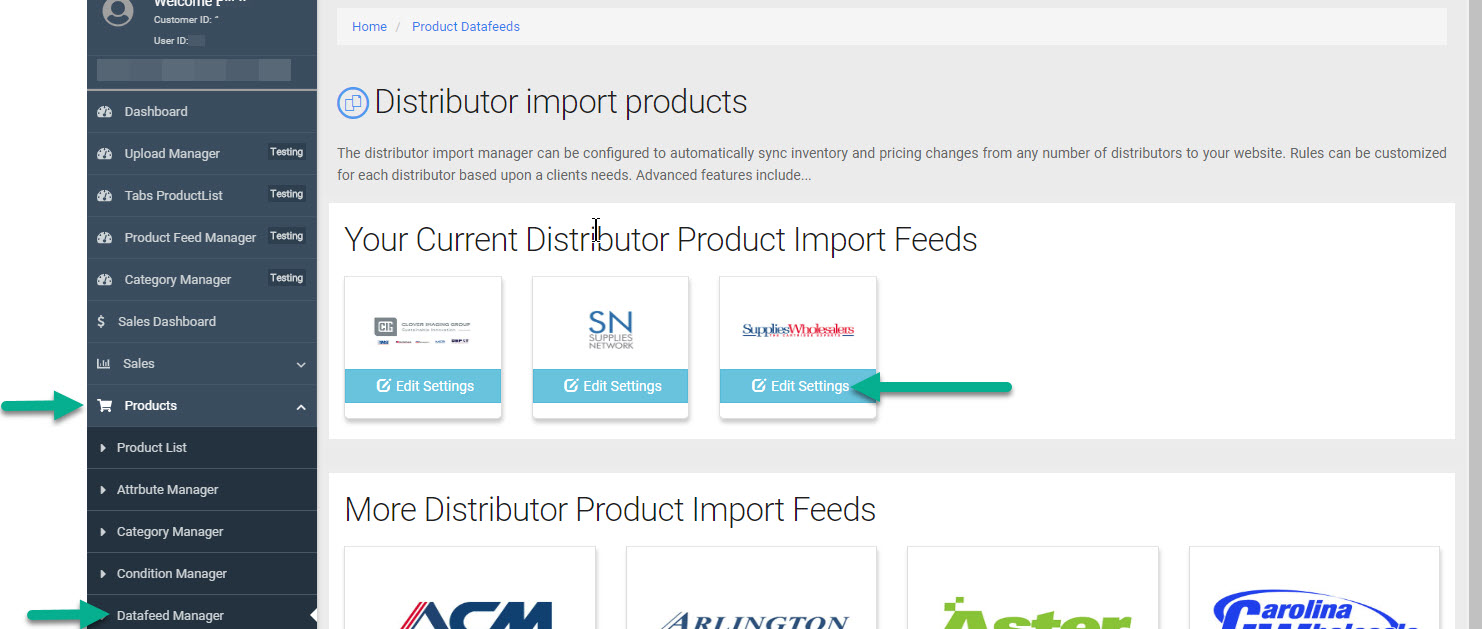
- Once you are in Datafeed Manager click "Edit Settings" on the supplier you want to remove.
- Look to the top right for a Trash Can icon. Click on the icon.
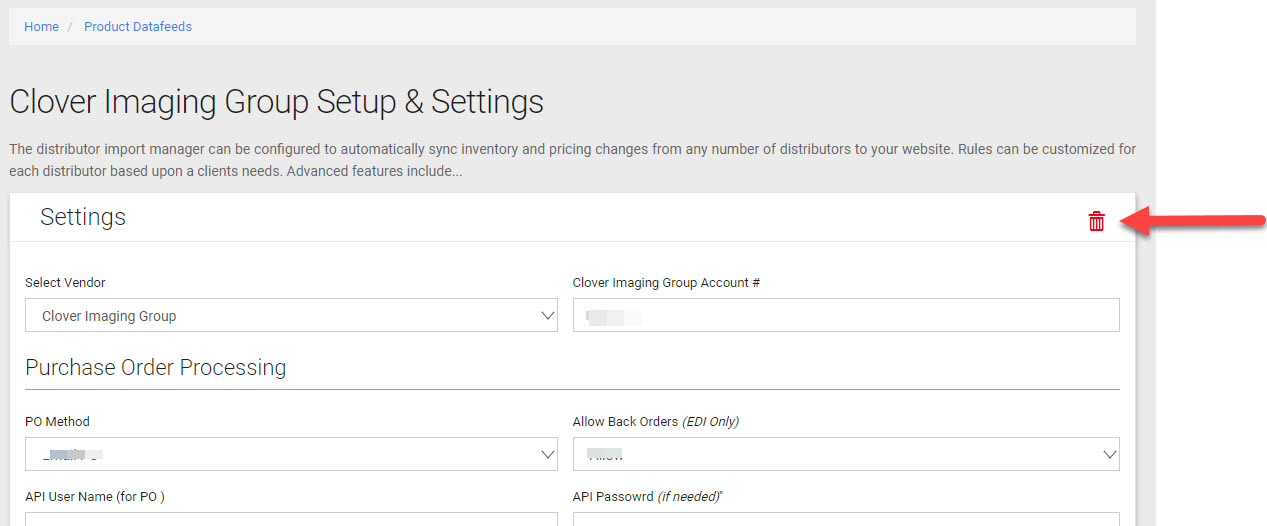
- You will be prompted to confirm you wish to remove/delete the supplier and delete/remove there products.