Auto Removal of Customer Credit Cards
Your store can automatically remove/delete a customers credit card after the card has been charged.
It will not remove/delete a credit card if there is an order is still pending and not charged. This is to prevent cards from being removed/deleted that are still needed on other customers orders that have not been charged yet.
To Enable Auto Removal of Customer Credit Cards follow these steps:
- Login to your stores Admin
- In the main left menu Navigate to Settings --> Payment Setup
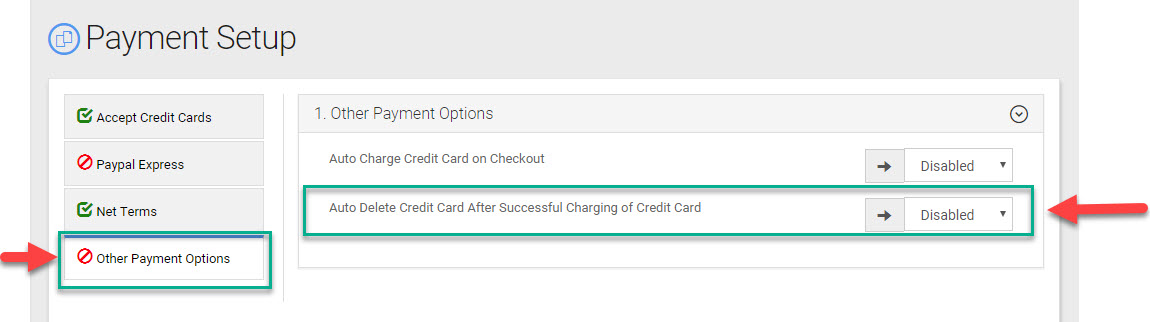
- Once you are in Payment Setup click on the item "Other Payment Options"
- Here you will see the option labeled "Auto Delete Credit Card after Successful Charging of Credit Card" "
- To Auto delete after charging of a credit card Select "Auto Delete Enabled"
- To disable this feature select "Disabled"