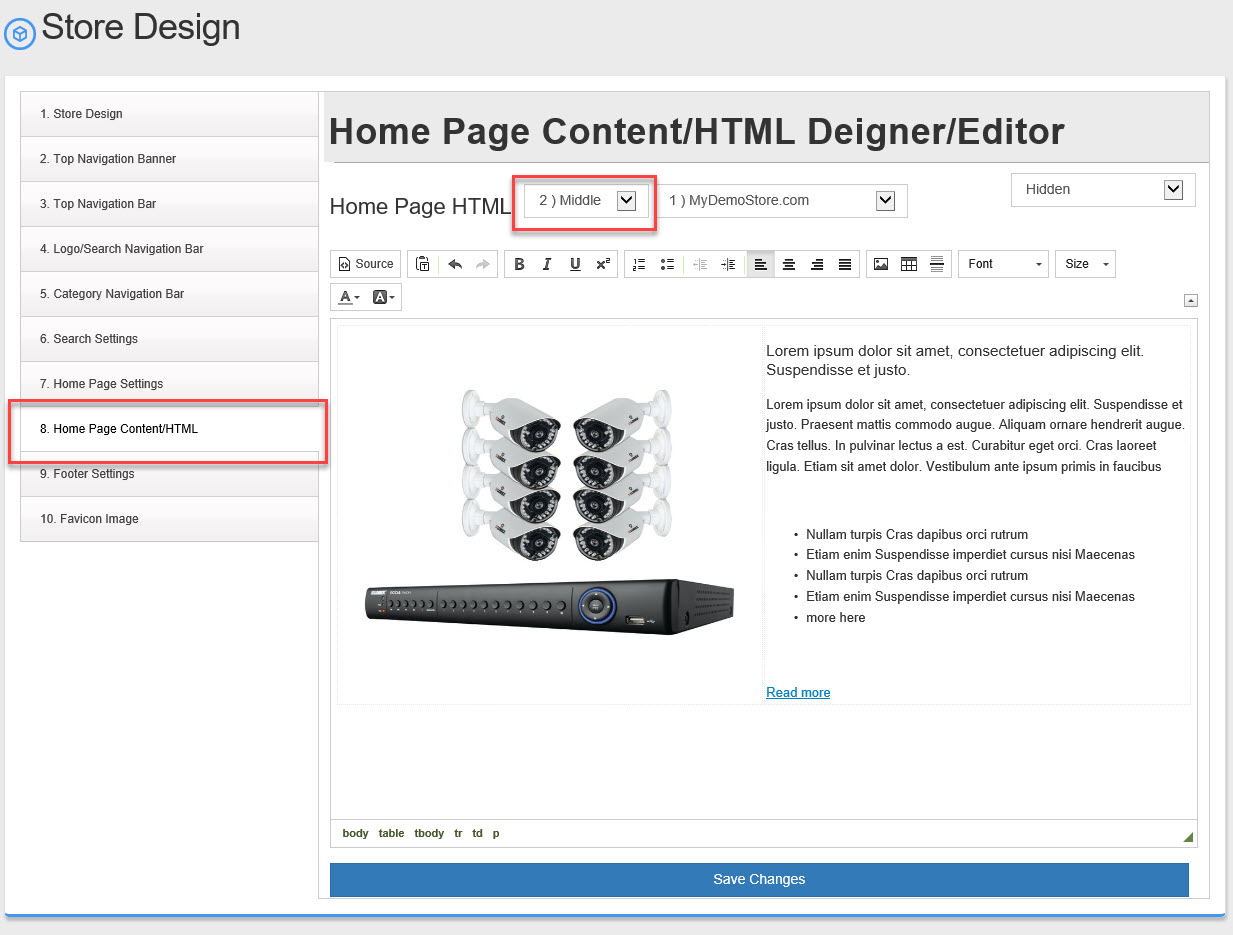
How to add HTML or Text to your Home page.
You can add up to 3 HTML area's to your home page in addition to the "Feature Products", "New Arrivals" & banner image slider.
To Change or Add HTML or Text to your Home page.
To change text or HTML follow these steps:
- Go to Setting -> Store Design
- Using the left hand menu, go to "Home Page Content/HTML" #8
- There are 3 basic settings you need to select:
- Placement Top, Middle or Bottom
- URL (advanced option only needed if you have more than one url)
- Active or Hidden

- Now enter your HTML or Text in the text area. You can use the WYSIWYG editor or click on the "Source" button to edit the raw HTML code.
- Click "Save Changes"
- Repeat this for placement Top, Middle or Bottom be sure to hide or make active each of these.