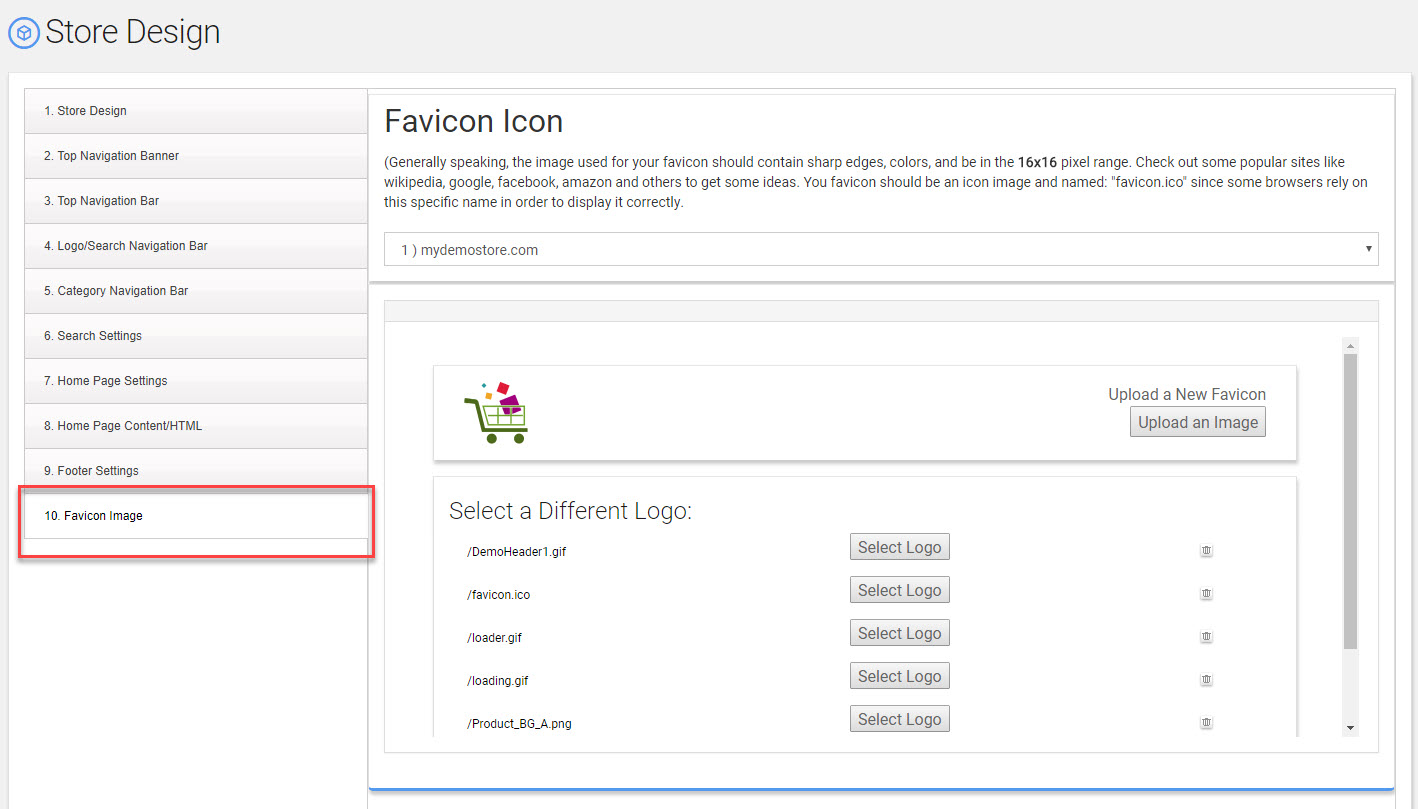
How can I add a Favicon to my Store?
A favicon is a simple graphic icon that can be added to any website and will display on the tabs and title bars of most browsers when viewing the site. Favicons will also display on visitor's bookmarks and browser history listings and help your site stand out a bit better when listed among other sites.
Below is an example of what a favicon looks like:
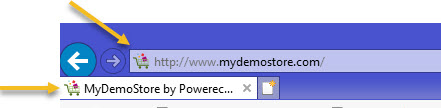
To add a Favicon to your site, you will need the following items:
- A favicon.ico file which contains your icon image
Creating your Favicon
The favicon.ico file can be created in a variety of different ways. Most photo-editing programs will have free plugins available that can be used to create your file and save it in *.ico format. There are also many free online favicon generators that can be used to create your favicon.ico file. A simple search online should lead you in the right direction.
Be sure to name it favicon.ico since some browsers rely on this specific name in order to display it correctly.
Uploading your Favicon
Once you have your favicon.ico file created,
- Login to your Admin account for you store.
- Settings -> Store Design -> Favicon Image
- Upload the favicon.ico file to the folder.
- Find the favicon in the list of images and click "Select Favicon "