How to Exclude Customers from Promo Emails?
There are a few ways to Exclude a customer or a group of customers from Promotional Emails:
Exclude a single Customer from Promotional Emails
- Go to Customers -> Customer List
- Find the customer you want to Exclude and click "View".
- Look for "Email List" under Account details.
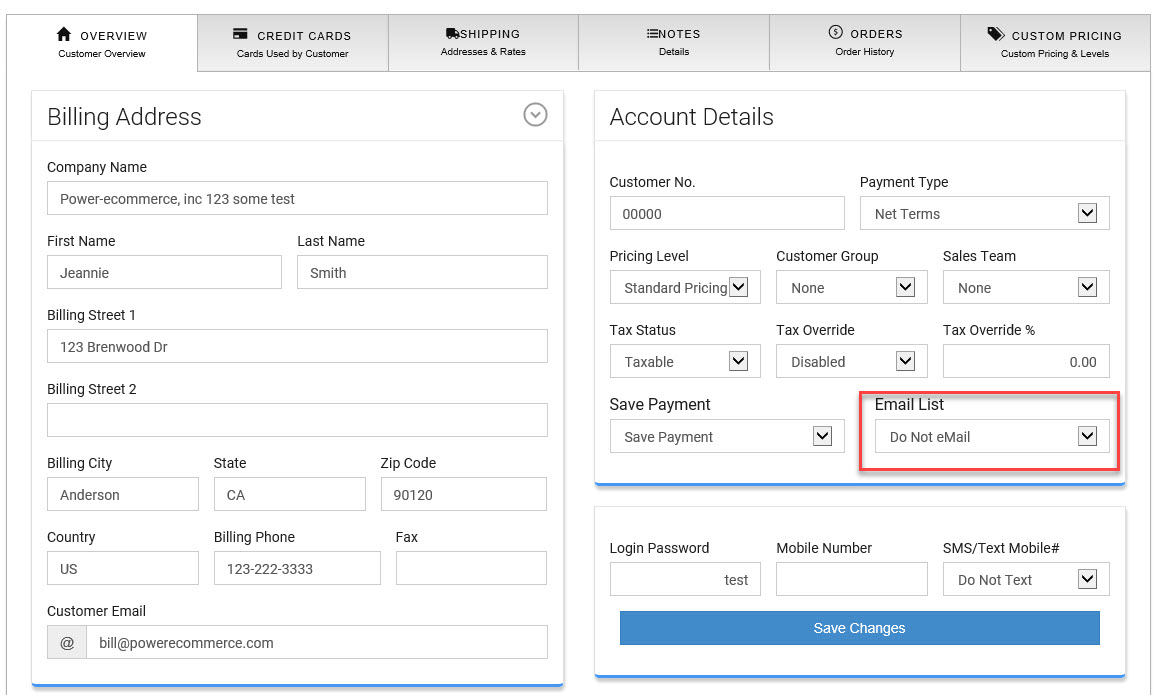
- Change this setting to "Do Not Email".
- Click "Save Changes"
- This customer will no longer relieve Promotional Emails from the "Email Marking" module.
Exclude a Group of Customers from Promotional Emails
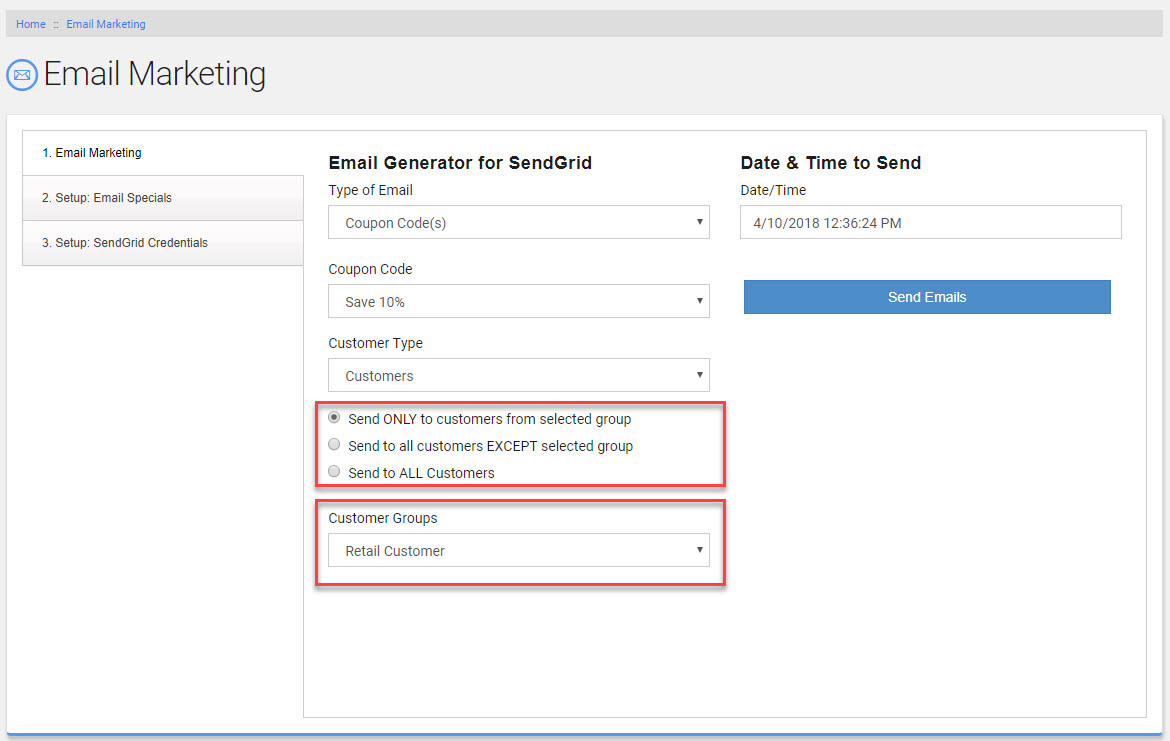
- Go to Marketing -> Email Marketing
- After making your selections if you are sending this Promotional Email to "Customers" vs. your Email List you will have the option to send to a given "Customer Group" or exclude a "Customer Group".
- Select the "Customer Group" you would like to send to or exclude.
(for this to work well you will need to add your customers to a "Customer Group")