Changing a device status
Question: How do I go about changing a device from under contract or Managed to
Stand alone device or unmanaged.
I have a few devices in my DCA that are under contract with another company. I want these devices to be seen, but not billed for any pages or auto fulfilled on their supplies.
Can I do this? If so, how?
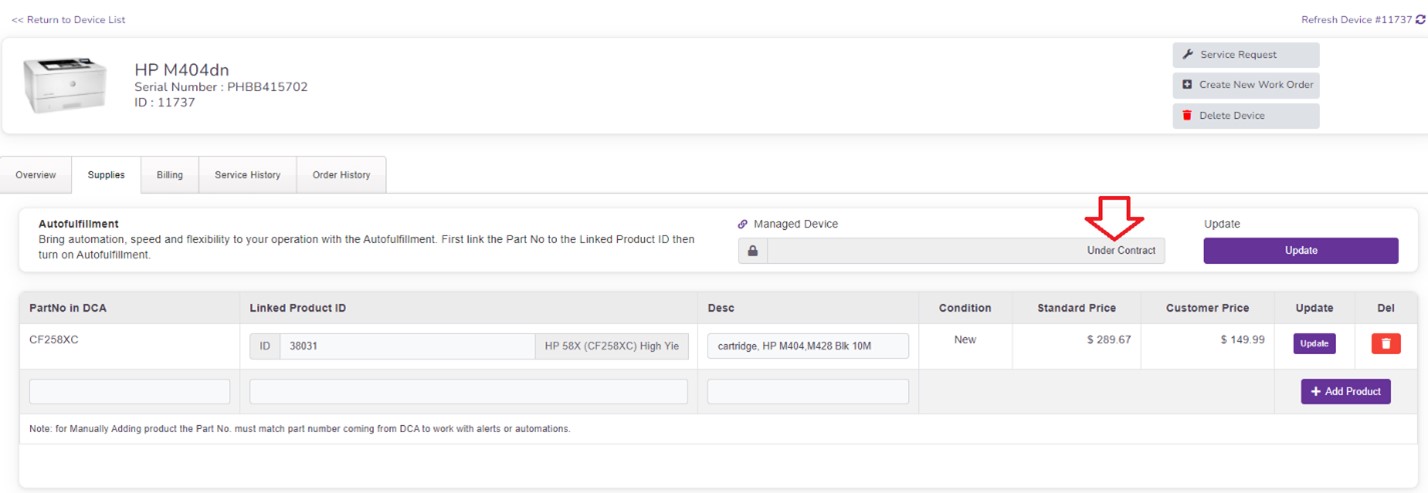
Answer: Devices that are Added/LINKED to a CONTRACT will appear as Under Contract or Managed when looking at a specific device within the Device Manager > Supplies Tab (See Screen Shot 1)
Screen Shot 1
To change a device from Under Contract or Managed, the device must first be removed from the Contract it is associated with.
To remove a device from a contract, you must go to the contract of the customer where the device is linked.
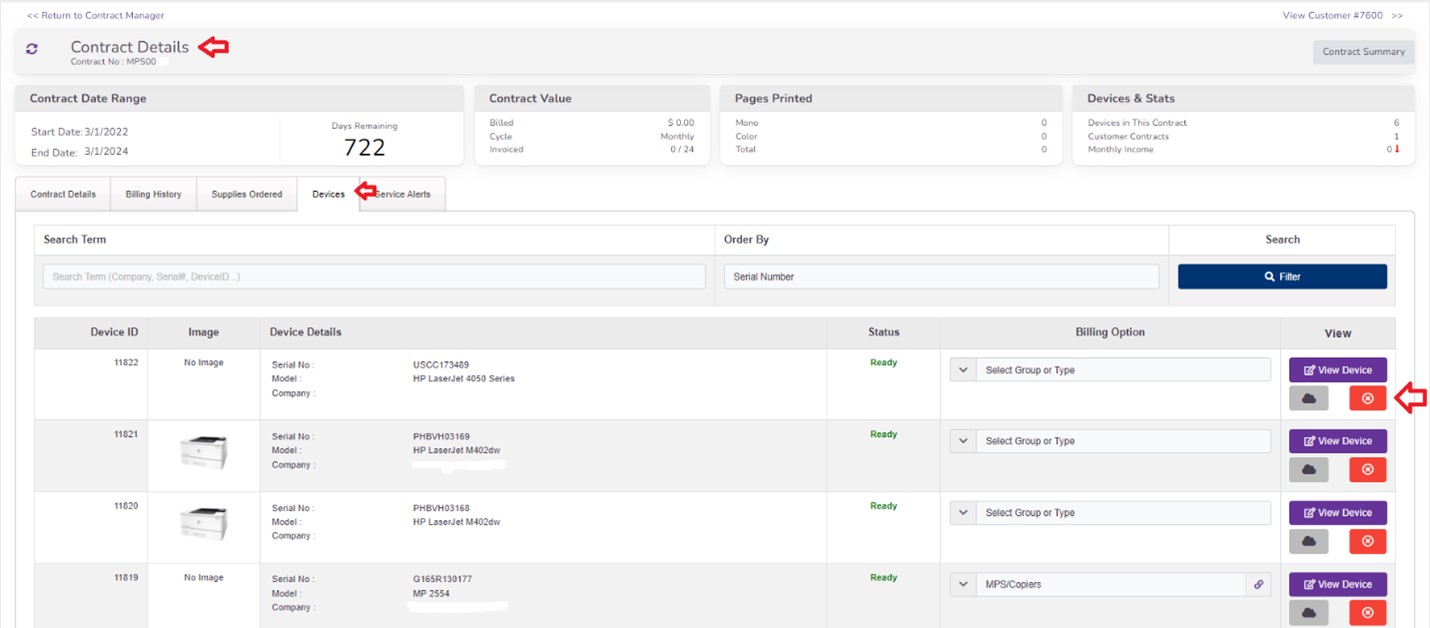
Step 1: Click the Manage button to open the Contract Details.
Step 2: Click Devices Tab within the contract (showing you all of the devices that are linked/associated with this Contract
Step 3: Click the Remove Device button next to the device you wish to REMOVE from the Contract, always click SAVE CHANGES. (See Screen Shot 2 to view steps 2 & 3)
Screen Shot 2
How to verify this change has been made:
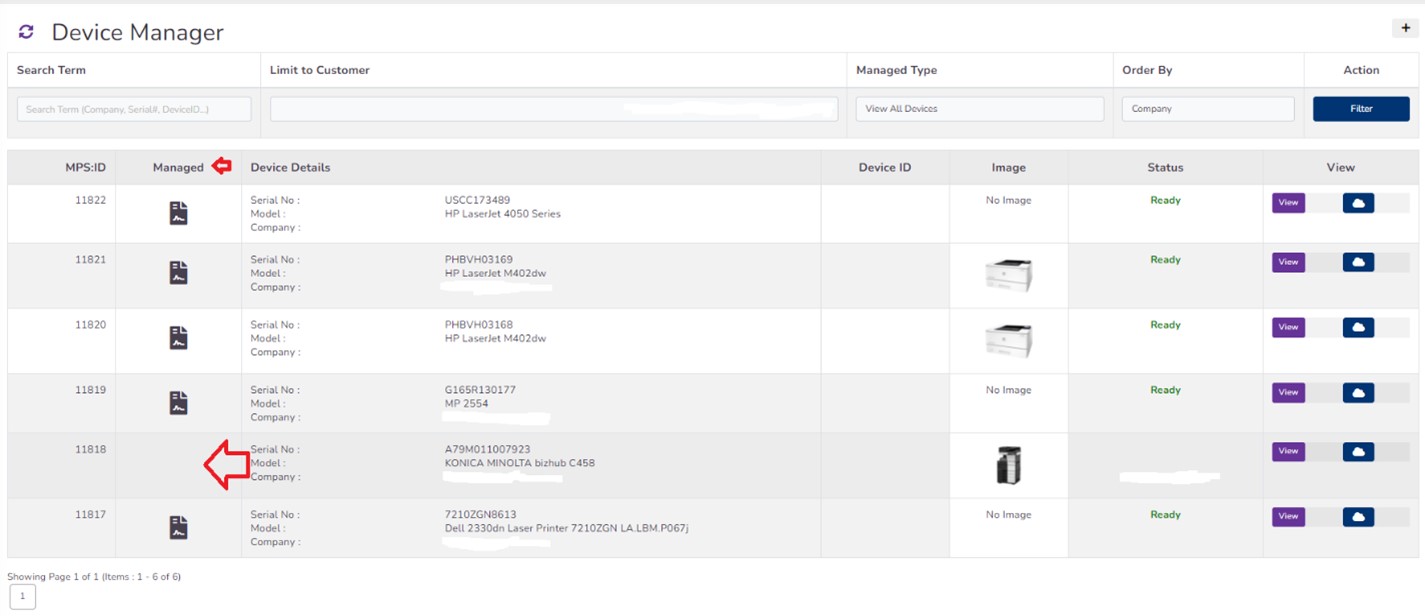
In the Device Manager, filter by customer name, locating the devices that are associated with the customer whos contract you just edited and removed the device from. You will first notice that in the device list within the device manager, under the Column titled Managed, the under Contract Symbol is no longer associated with the device you just removed from the contract. (see Screen Shot 3)
Screen Shot 3
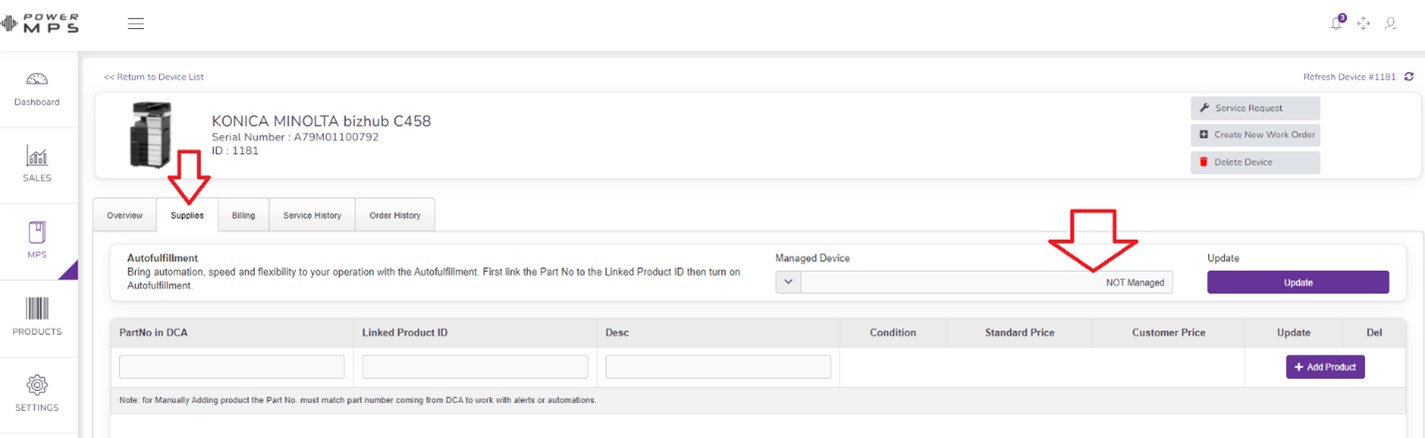
Then you can click VIEW to open and view that specific device that you just removed from the contract. Click the SUPPLIES tab. You will now see the Device Shows NOT MANAGED (See Screen Shot 4)
Screen Shot 4
You have now changed a device from Under Contract or Managed to NOT Managed.
Note: The device can and is still being monitored by the DCA, you have simply chosen to mark this device as NOT Managed (so the device is not associated with a contract and it is also NOT on Auto-Fulfillmentit is simply being monitored only by the DCA)