Add to Cart Button settings
This article will help guide you though the settings that govern the "Add to Cart" button on the product pages.
There are 3 settings and inventory levels that can affect if the "Add to Cart" button is displayed.
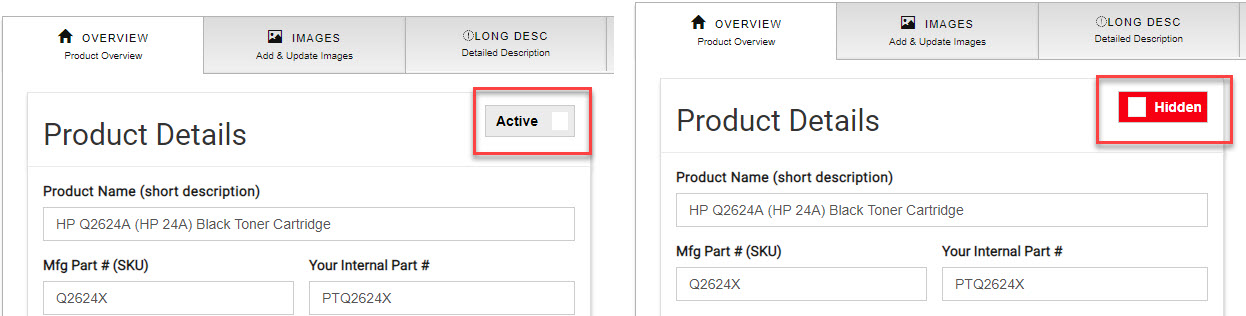
- Active or Hidden: This like a kill switch for the product if you have it "Hidden" the product will not show up at all on your store. Be sure to have the product set to "Active" if you want to sell the product. Just click on "Active" or "Hidden" to change its status. See screen shot below.
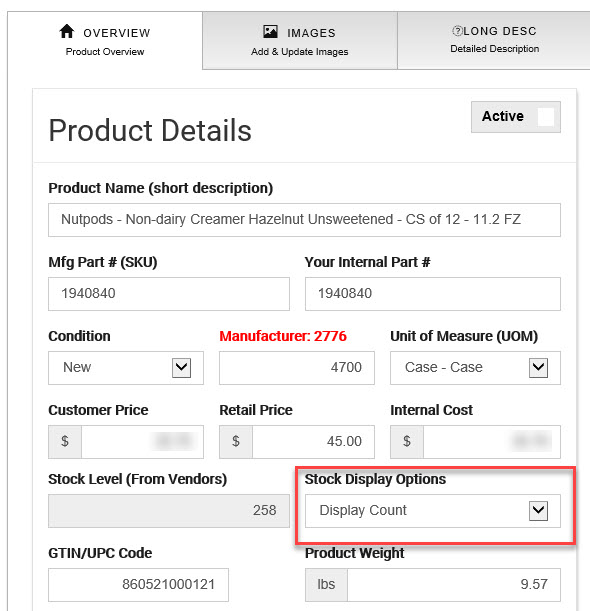
- : There are a number of options here:
- Don't Display (will not show any stock indications at all)
- Display (Y/N) (will show in or out of stock)
- Display Count (show the actual inventory totals from the vendors)
- Always In-Stock (no mater the vendor inventory levels it will show in stock)
- Always Out of Stock (no mater the vendor inventory levels it will show out of stock)
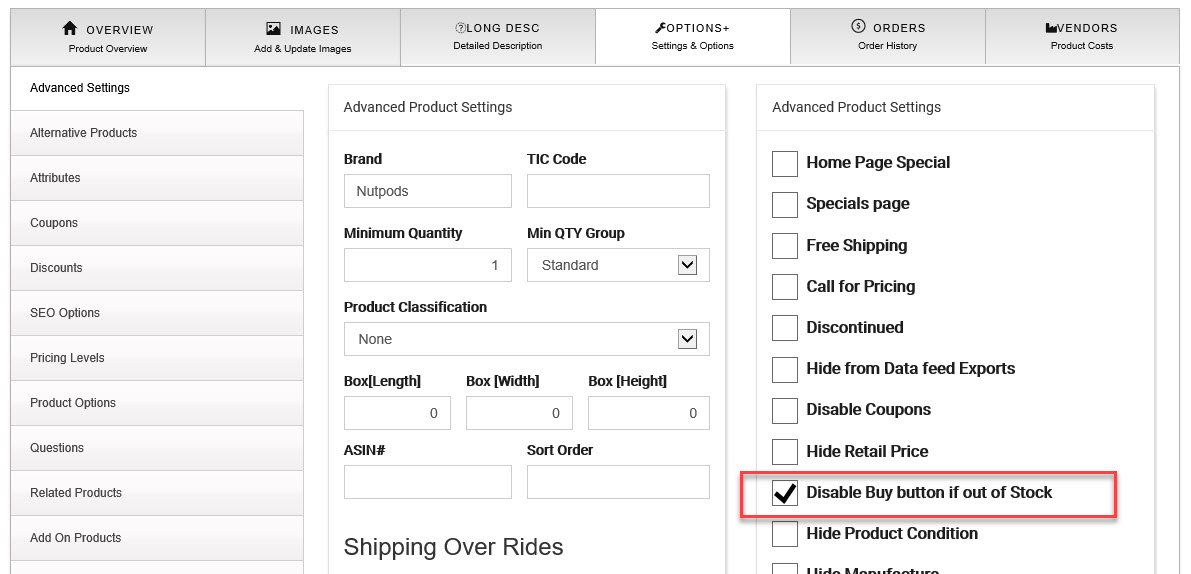
- Un-Checked the "Add to Cart" button will always be displayed.
- Check then the "Add to Cart" button will display based on the setting selected and inventory levels. See the charts in the below for a guide to how this all works together.
- : if a product is checked as
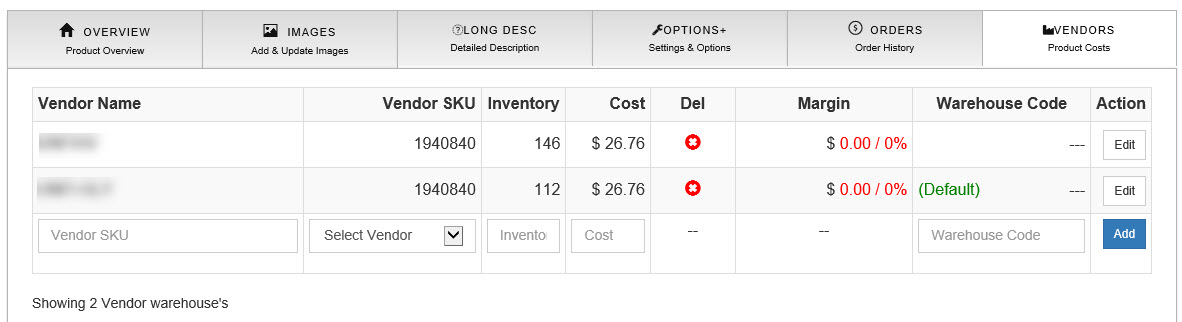
- Vendor Inventory: Weather you have your own inventory at your location, use the vendor to drop-ship, or a combination of both each product should have at least one vendor unless the product does not require it for your settings or business. If you are using a data feed from a supplier these inventory levels are updated automatically but you will need to update any inventory manually for products you have in your warehouse. If the total vendor inventory is 0 (zero) then based on your settings the "Add to Cart" button could be hidden.
Here is a chart to help you understand how each setting affects the "Add to Cart" button:
With “Disable Buy button if out of Stock” Un-checked
|
Option |
Displays |
Discontinued |
Add to Cart Button |
|
Don’t Display |
Nothing |
Checked or Un-Checked |
Yes |
|
Display (Y/N) |
Currently not in stock or In Stock |
Checked or Un-Checked |
Yes |
|
Display Count |
Shows the total inventory available |
Checked or Un-Checked |
Yes |
|
Instock Always |
In Stock |
Checked or Un-Checked |
Yes |
|
Out Always |
Not in stock |
Checked or Un-Checked |
Yes |
With “Disable Buy button if out of Stock” Checked
|
Option |
Displays |
Add Cart Button |
Add Cart Button |
|
Don’t Display |
Nothing |
Yes |
No |
|
Display (Y/N) |
Currently not in stock or In Stock |
Yes |
No |
|
Display Count |
Shows total inventory available |
Yes |
No |
|
Instock Always |
In Stock |
Yes |
No |
|
Out Always |
Not in stock |
No |
No |