Filter out Shipping Rates like "Next Day Shipping"
Sometimes a store needs to remove different shipping options shippers like UPS, FedEx and USPS give there customers. If you don't want to offer Next Day shipping because it does not fit your needs or lead times you can remove these options.
To filter out out different shipping methods like "2nd Day Air" or Next Day Air" just follow the steps below.
- From your Admin go to Settings -> Shipping Manager
- Select the shippers name you want to filter (UPS, FedEx....)
- Now look for "Filter UPS Results" or "Filter FedEx Results" and so on for each shipper.
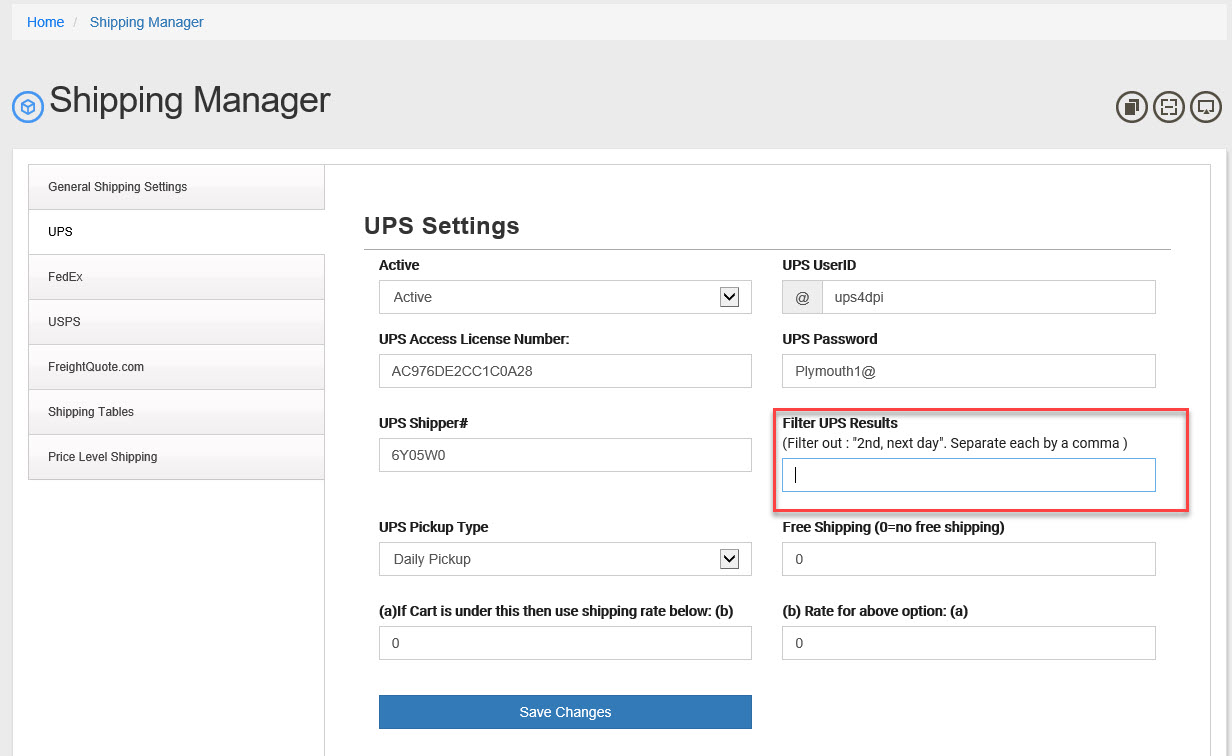
- In order to no longer see "UPS 2nd Day Air" rates add "2nd" to the box.
- In order to no longer see "Next Day" shipments add "next day" to the box.
- If you are adding more than one filter separate each one with a comma (i.e. "2nd,next day")
- Click Save changes
- Repeat this process for each shipper(UPS FedEx and so on) you want to filter results from.
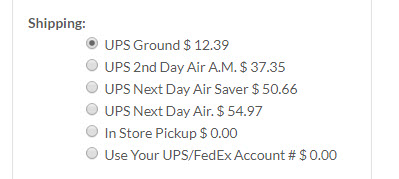
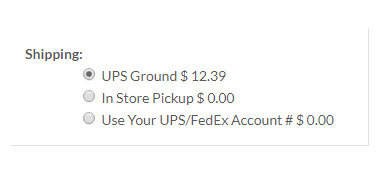
Here are the results before and after a filter was added:
Before: |
After Filter: |
|
|
|