Why is my site down or running slow?
When it comes to viewing any web page online, there are a lot factors involved that can cause your Power-eCommerce Store to perform slowly or appear to be down.
For example, there are connection factors to consider like Internet routing and basic connectivity issues, as well as browser specific performance factors that can make your site merely appear to be slow while it is, in fact, operating perfectly. However, in some instances, there may be site and server specific issues which can also affect your site's performance.
What Makes up my Page Load Time?
When a request for a page is made, the Front-end and Server-side components both take a certain amount of time to complete their operations. Since their operations are essentially sequential, their cumulative time can be considered the total page load time.

Troubleshooting Steps
With that said here are some troubleshooting steps to go though when you notice your site's performance behaving less than optimally. The basic structure of this list is intended to address and rule out the more common and obvious issues first before progressing into the more complex scenarios.
Step 1 - Basic Internet Connectivity
The speed of your site may be something that is unique to only your Internet connection, network or even your geographical location. Internet traffic is similar to real-world traffic and different routes are possible from point A to point B. Each possible route can be affected by traffic congestion as a real life highway can be. Therefore, the first scenario you will want to rule out is if your connection could be the cause of the slowness.
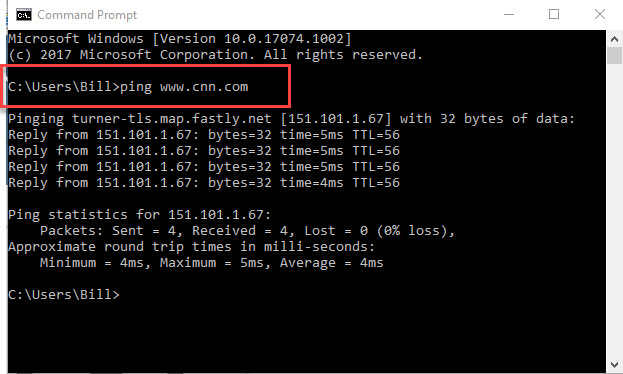
First do a Ping test to www.cnn.com or www.google.com this will tell you if your local internet connection is ok. Open a command prompt and type "Ping www.cnn.com" if the process times out this tells you that the issue is in your local internet connection.
Ping Test
Traceroute Test
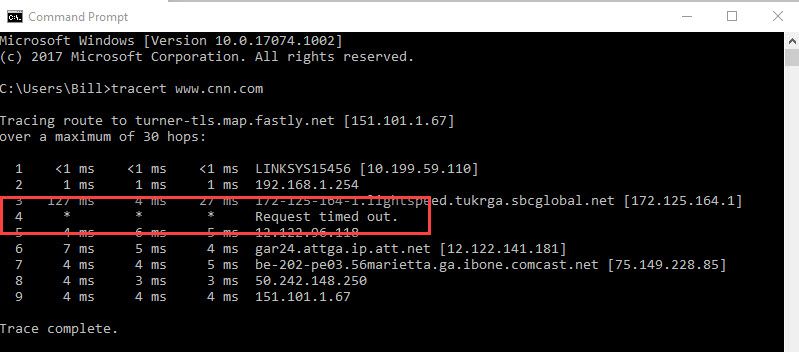
A traceroute will show you all of the individual hops and paths your connection is taking from your network (Point A) to your website (Point B). If there are any delays between the two, a traceroute should show this.
in a command prompt type "tracert www.cnn.com"
Proxy Site Test
Yet another troubleshooting tool intended to rule out possible connectivity issues is the use of a proxy site. A proxy site is a type of website that will allow you to access any website you'd like, but from a network connection completely different from your own.
This is one site of many that can test if your site is up or not.
https://downforeveryoneorjustme.com/