How to removed empty categories?
Sometimes your categories will have no products in them for a number of reasons like: Product have been hidden because they no longer are stocked or discontinued, they can also be deleted without taking in to account that now a categories might be left empty.
So How do we hide these categories so your store is not full of empty categories. We will show you two ways to hide categories no longer needed.
Manually Hiding or Deleting a category.
Please follow these steps:
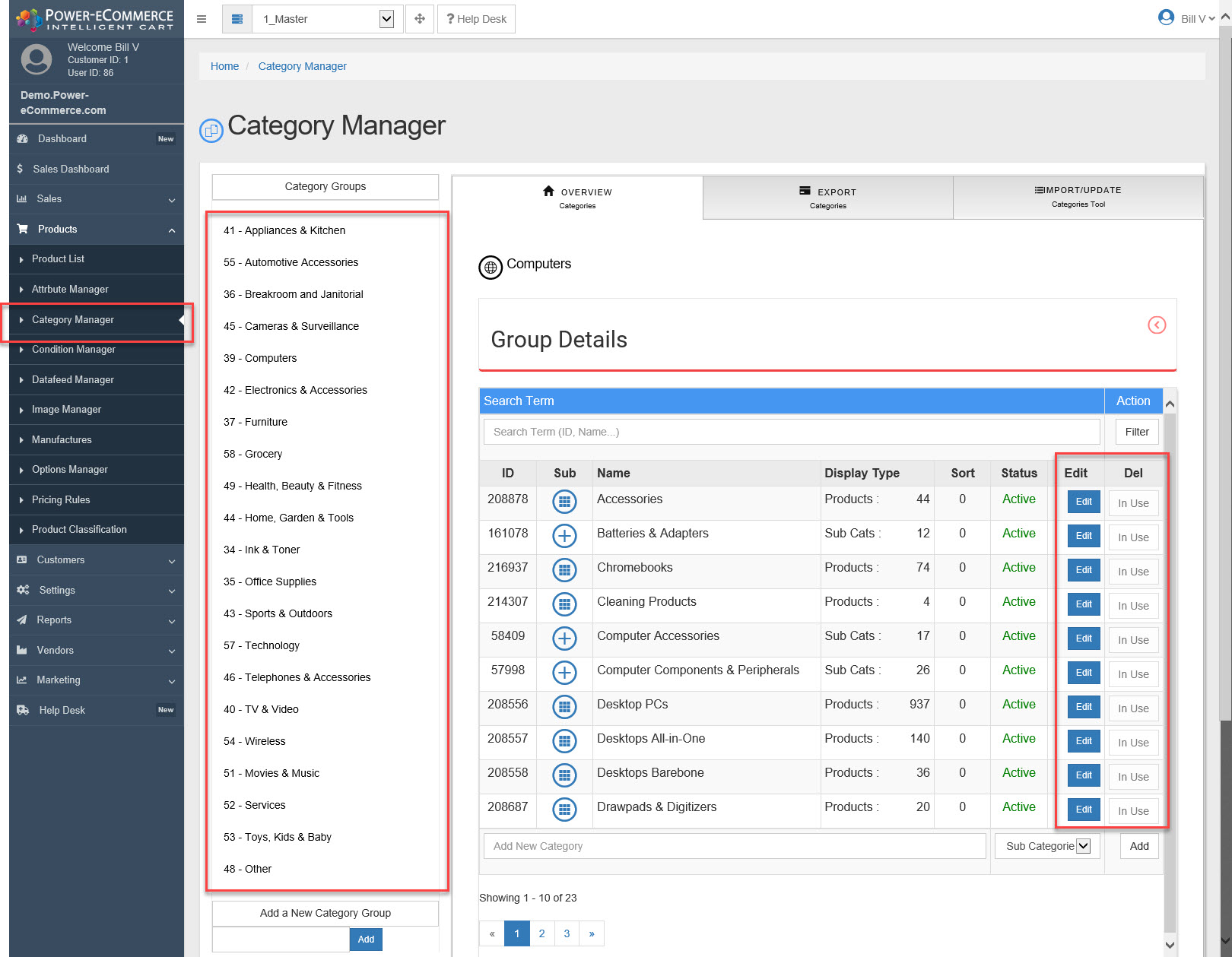
- Go to : Products -> Category Manager -> Click on the product Group that contains the category you need to hide.
- Now click "Edit" on the category or the categories parent category. (you may need to drill down to get to the category you are looking for you may also search for it in the search box). (if there are no products in a Category then you can delete that Category).
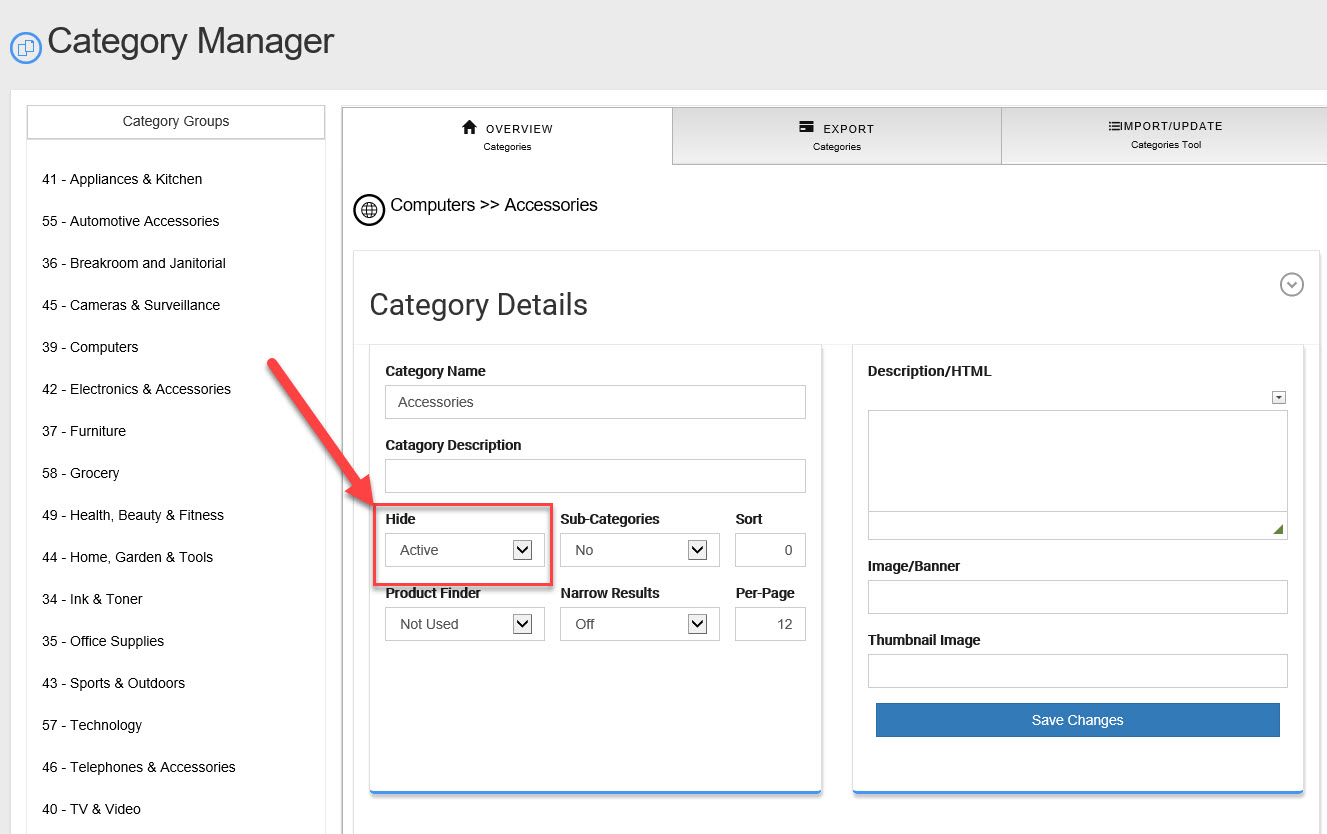
- Look for the drop down menu "Hide" change it to "Hidden"
- Click "Save Changes"
Deleting a categories using "Tools".
This process will search for empty categories and delete them for you. This will only delete categories with NO products in them it will NOT delete categories with hidden products.
- Go to : Settings -> General Settings -> Tools
- Look for the Tool called "Delete Empty Categories"
- Click the Button to start the process.
- Go back and check to see if this has removed the empty categories for you if not then try to use the tool "Delete All Hidden Products" and then re-run "Delete Empty Categories".