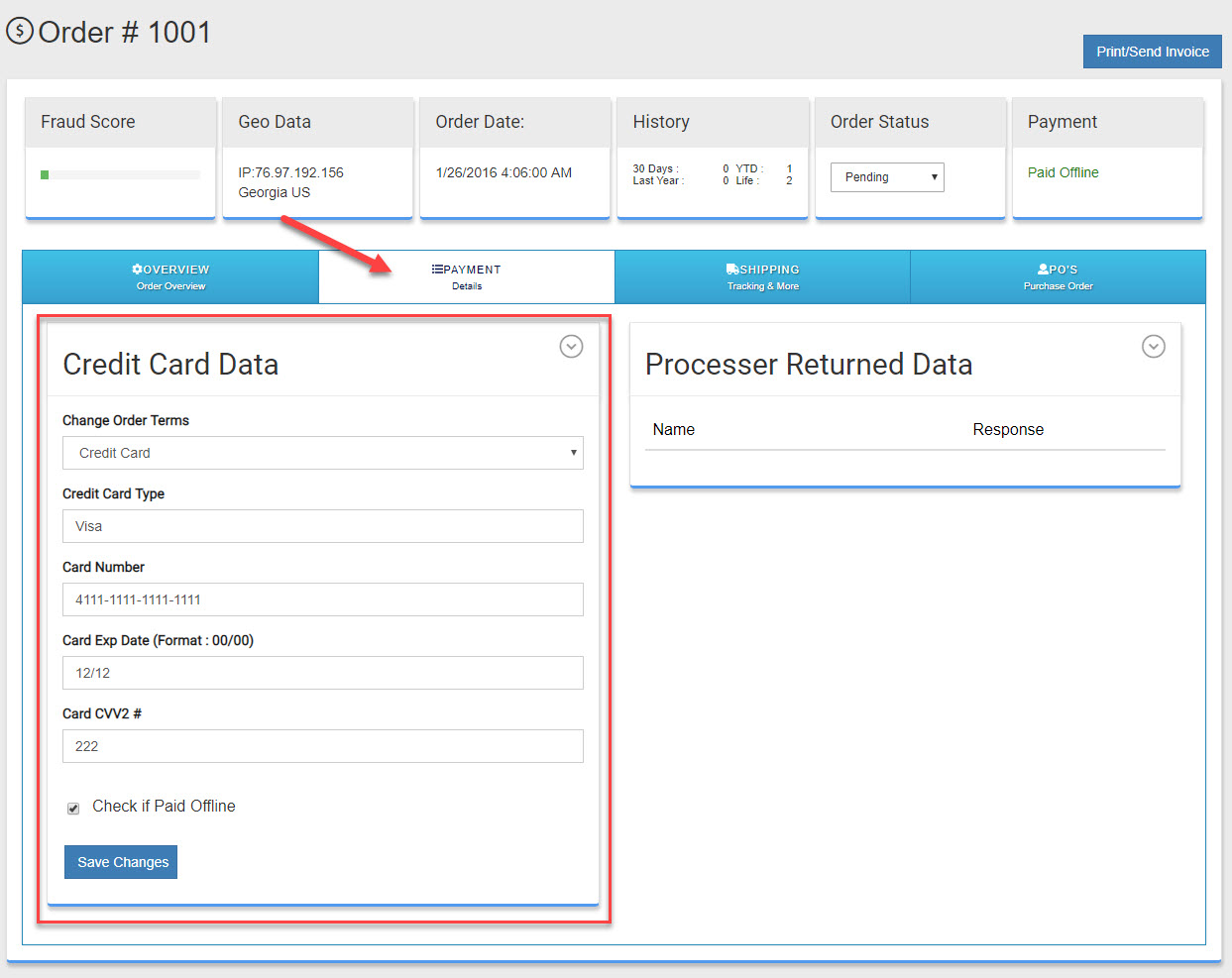
By default all credit card numbers are hidden from view in the admin. This helps keep you PCI compliant. However. if you need to process a credit card off line though a gateway or terminal that is not integrated with us you can still do so. Follow the steps below to view credit card data for off line processing.
View a Credit Card for offline processing
To setup Offline Payment Methods
- Go to Settings > Advanced
- Under the "PCI Override " section, change the setting from.
"Last 4 Digits Only" to "Show Full Credit Card"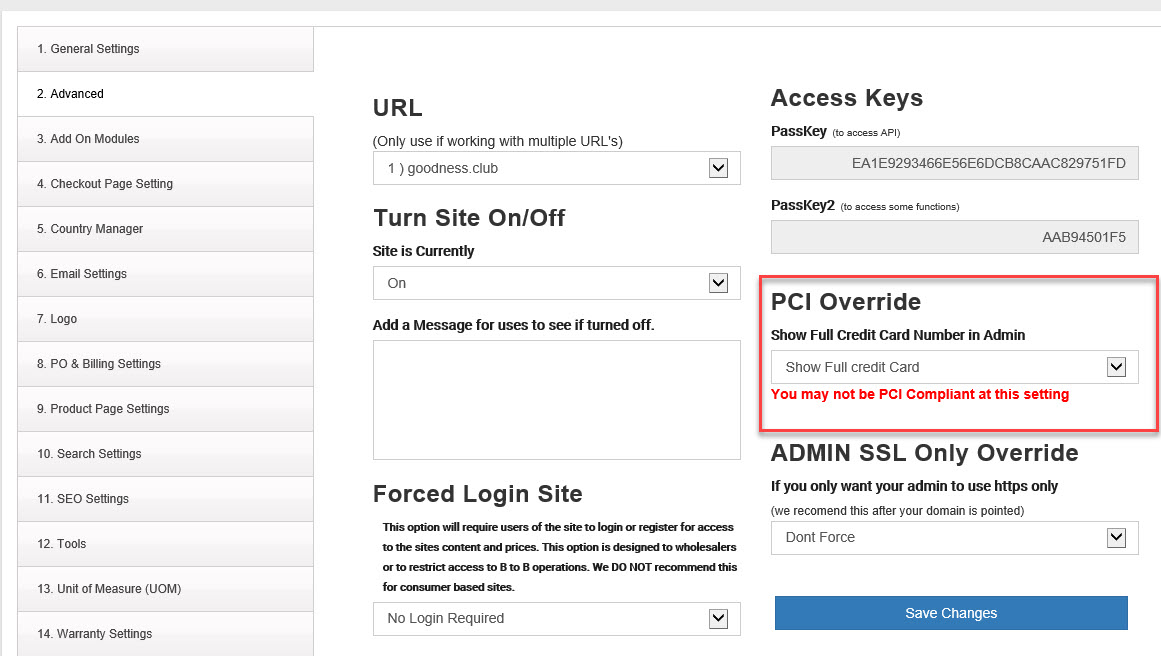
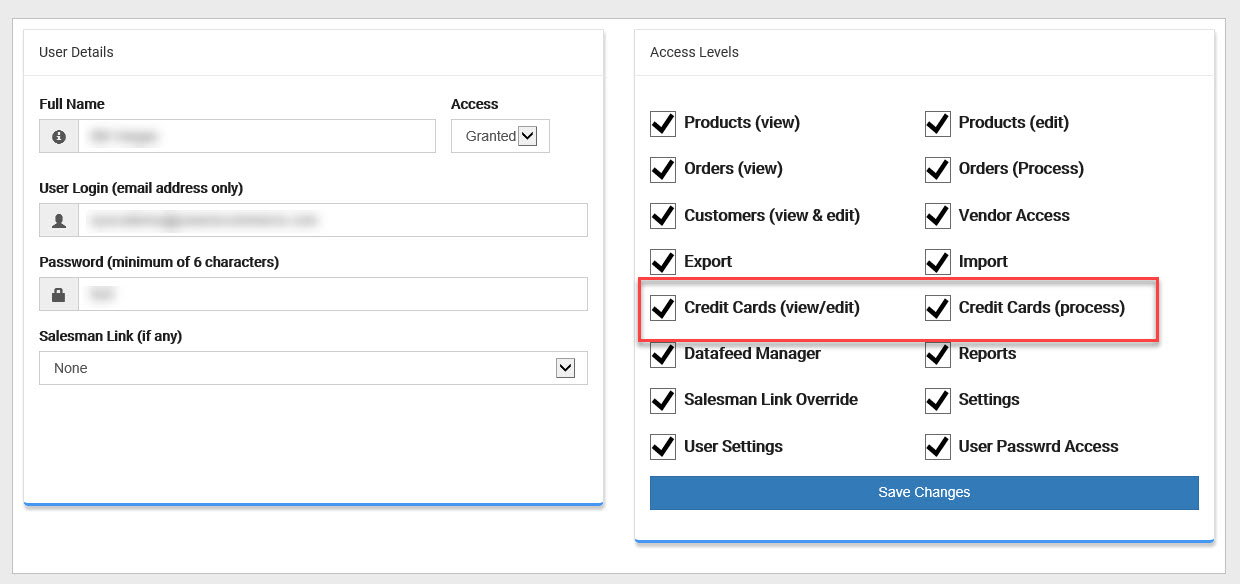
- Next go to Settings > User Manager
- Select the user you want to have access to the credit card number.
- Be sure both "Credit Cards(view/edit)" and "Credit Cards (process)" are checked.
- Next go to the order you want to process "Sales > Orders" select the order you wish to process.
- Click on the "Payment" Tab and your credit card details are now available to you. You may need to logout and back in to the admin.